Waku Navi
A play-ideas app for Japanese parents, and the admin that feeds it.
Parents pick their child's age and get short play ideas: watch the video, save it, try it, rate it. As the only designer, I designed the mobile app and the web admin where the team writes every post.
ShippedReal screens from my Figma file, in Japanese. Photos, names, sample posts and dates are demo content, replaced for this case.
- How did I help
- Design & system work
- Childcare · Japan
- Role
- Sole designer
- Team
- 1 Flutter dev, 2 backend devs
- Final UI
- Dec 2024 – Feb 2025
- Platform
- iOS, Android, web admin
- A play-ideas app for Japanese parents, and the web admin where the team writes every post.
- As the only designer, I built the app around one path: pick the child's age, watch, save, try, rate.
- Research was AI-assisted and remote, and I kept the first release to that one path to hold the deadline.
The tour: Four moves → Start from the child → The content system behind the app
Scattered ideas,
a hard deadline, a market abroad.
The goal was simple: help young parents find play ideas their child is ready for. The inputs were not.
- 01Scope creepNew requests kept arriving, and the deadline was the first thing at risk.
- 02Designing from abroadDesigning from Vietnam for Japanese parents, so research had to work remotely.
- 03A cultural gapI had to read Japanese childcare habits and UI expectations without field research.
Written in the admin.
Played in the app.
The team writes a post once: video, photos, steps, age tags and a review set. Parents get it as a card, a video and a detail page.
Four moves,
from research to scope.
- 01AI-assisted researchUsed AI to synthesise Japanese parenting culture, childcare app patterns and mobile UX expectations.
- 02One path for parentsPick the child's age, watch, save, try, rate. Every screen in the app serves one step of that path.
- 03A structured adminPosts, categories, age tags and review sets live in the admin, so the team adds content without a developer.
- 04Scope negotiationPushed back on requests that would have cost the deadline, and kept the first release to that one path.
Start from the child.
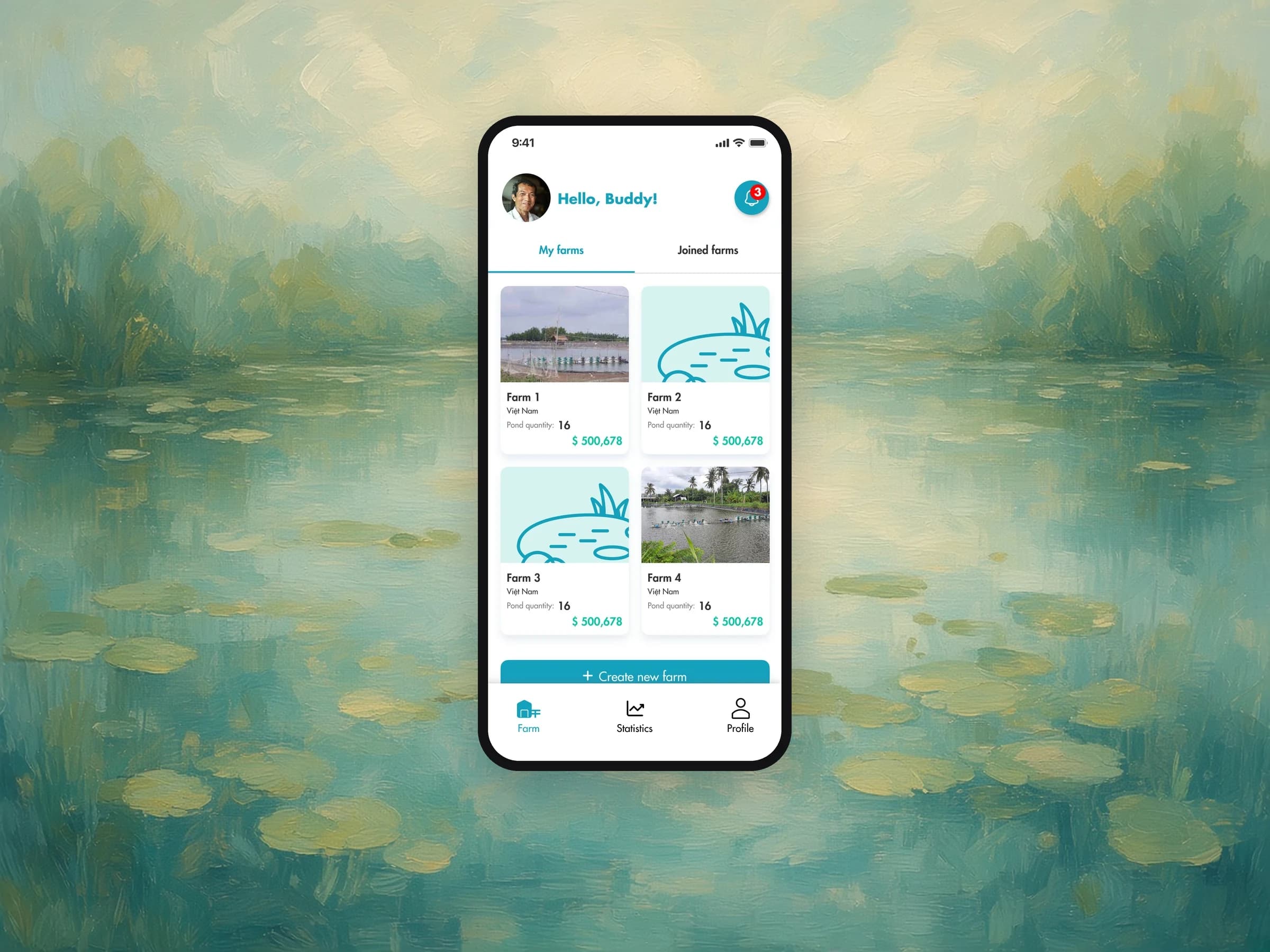
Sign-up asks for the child's birthday, so the app can open on ideas for that age instead of one list for everyone.
Recommendations that start from the child
A one-year-old and a four-year-old need different play, and tired parents won't set filters every time.
- 01 / 03 · Mobile app
Recommendations that start from the child.
A one-year-old and a four-year-old need different play, and tired parents won't set filters every time.
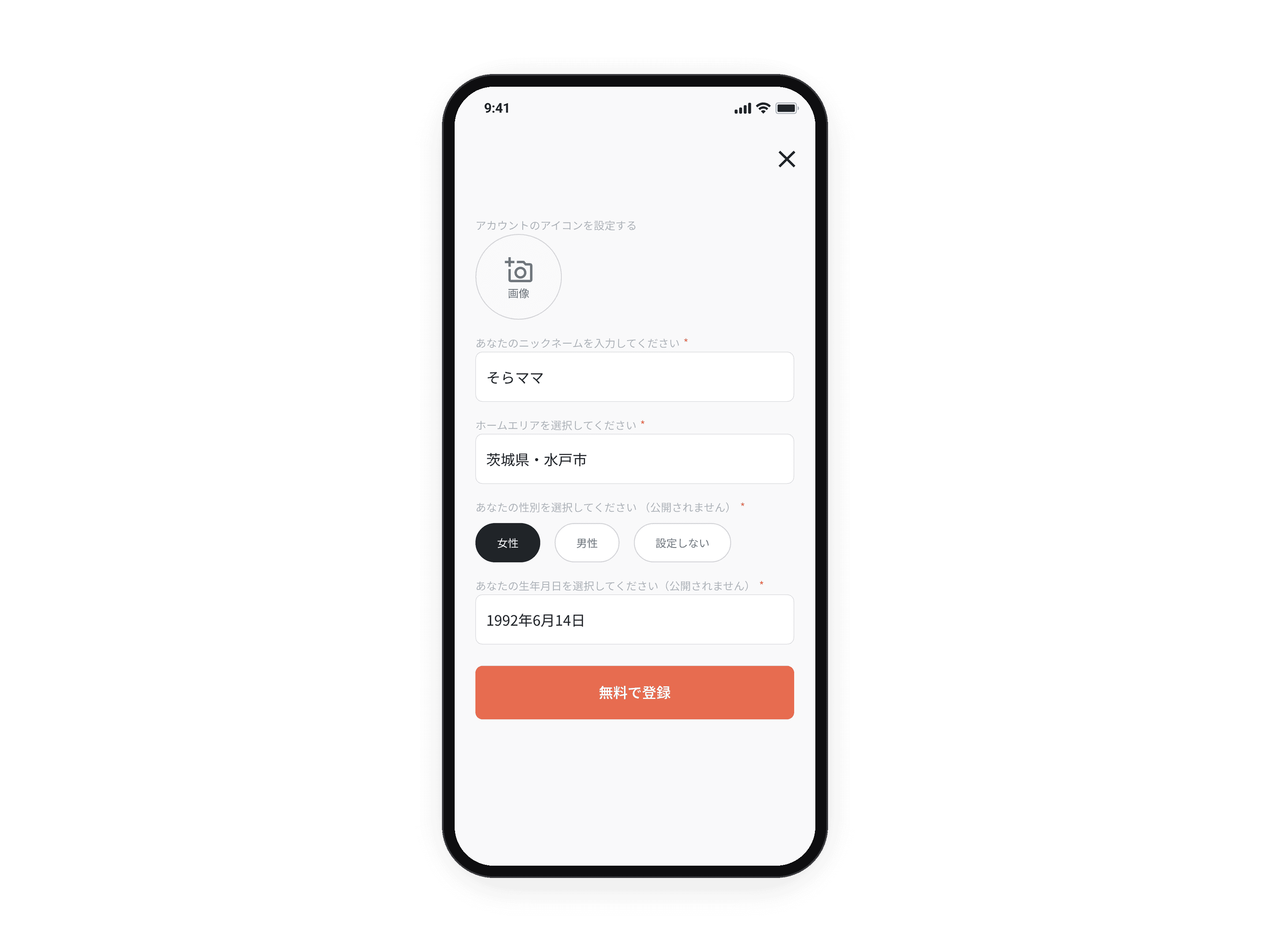 02 / 03 · Mobile app
First the parent.
A list of 47 prefectures is hard to scan on a phone, so the area is picked region, then prefecture, then city.
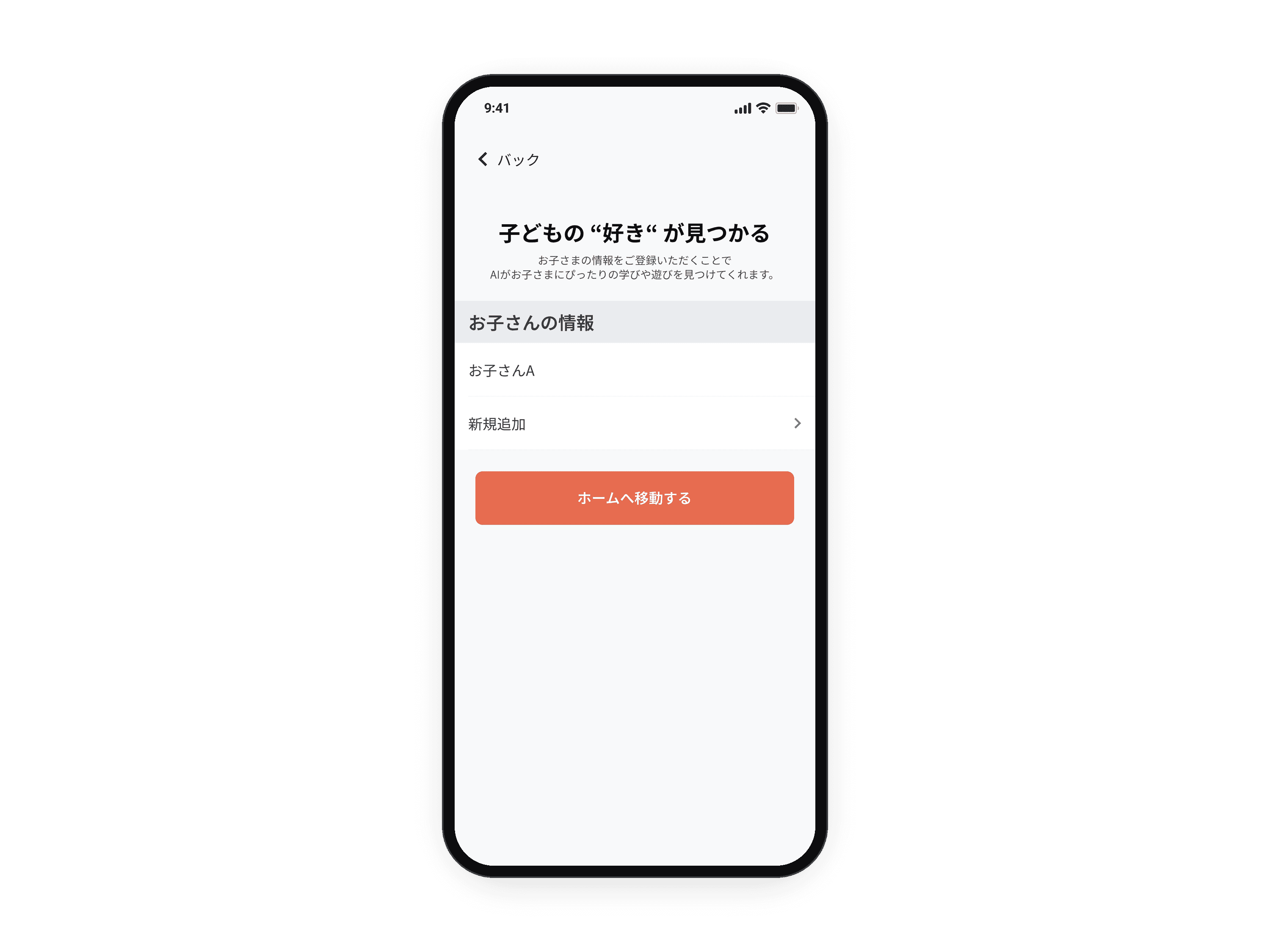 03 / 03 · Mobile app
Then the child.
The birthday is what the app needs to suggest ideas for the right age, so it sits in the same short form as the name.
Inside the mobile app.
Watch, save, rate, search by age and sort saved ideas into folders.

From the grid to the steps
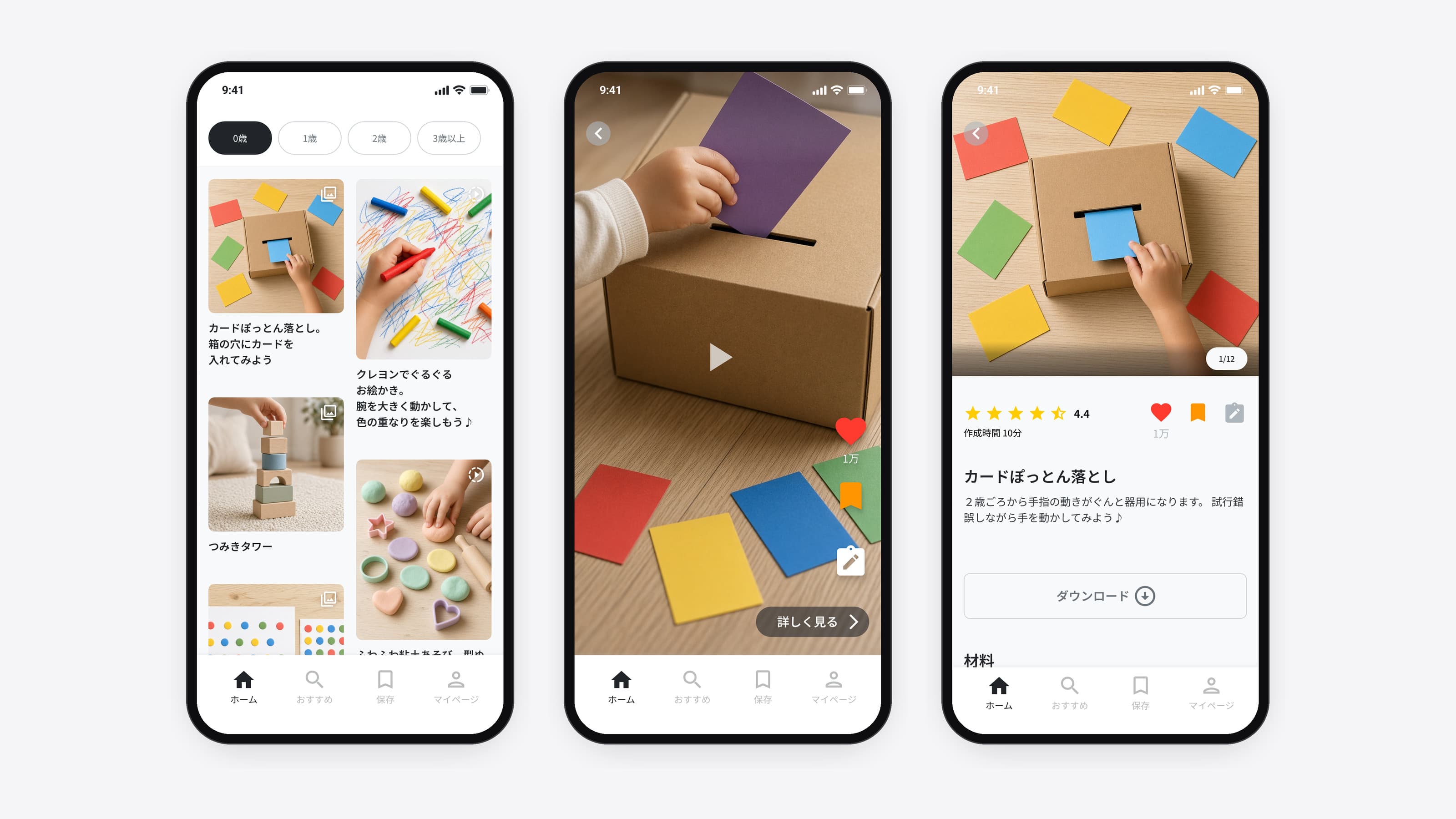
A card opens the video full screen; 詳しく見る (see details) opens the materials and the steps.
- 01 / 04 · Mobile app
From the grid to the steps. A card opens the video full screen; 詳しく見る (see details) opens the materials and the steps.
The two-column grid with age chips, the video screen with its save rail, and the detail page.
 02 / 04 · Mobile app
Rate it in three sliders. Three questions, each a slider between two faces, then an optional photo and note that other parents can read.
The slider sheet, the experience-report sheet and the shared experiences list.
 03 / 04 · Mobile app
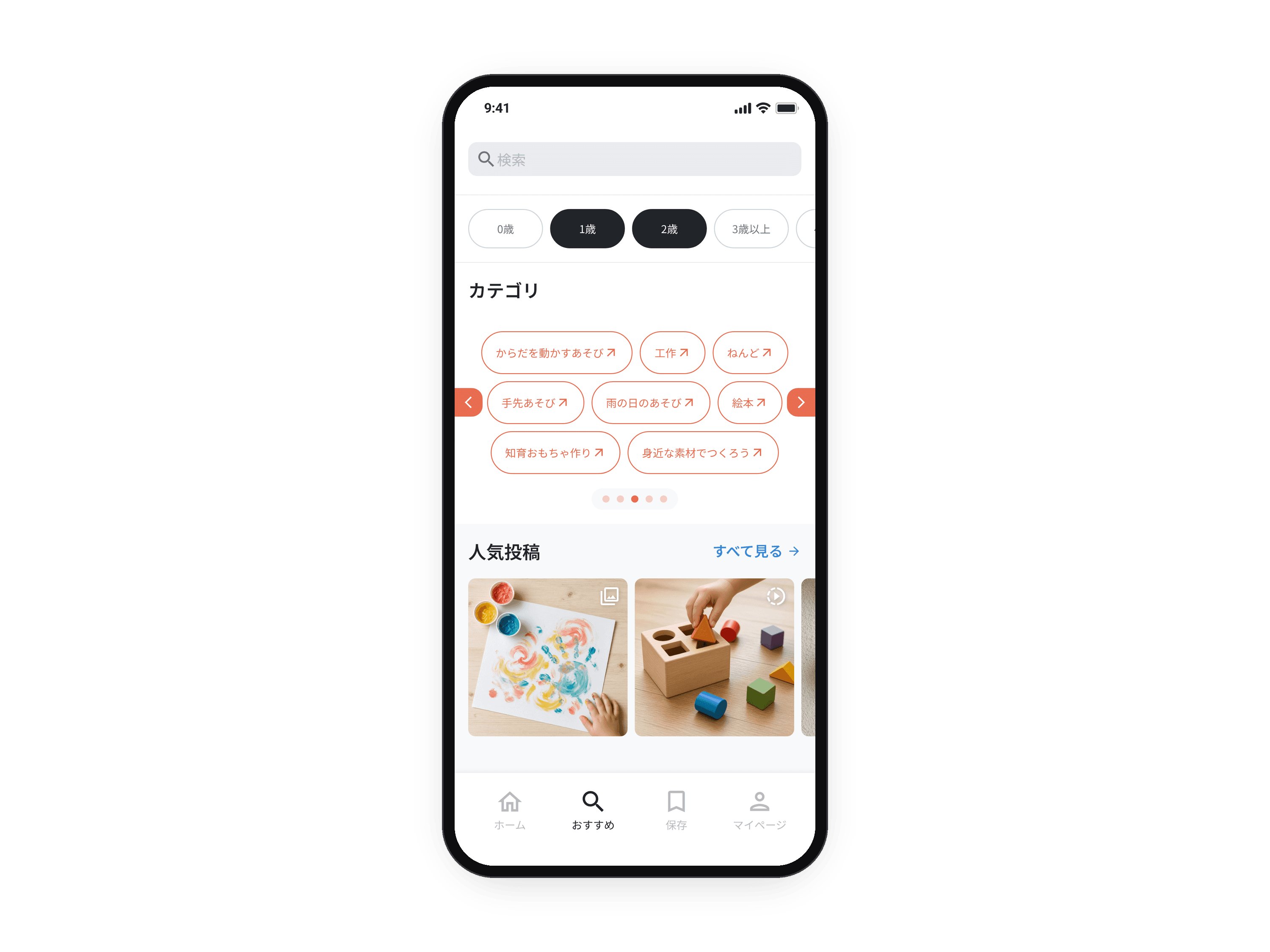
Search inside the child's ages. Results keep the child's ages selected, so a search never shows ideas the child isn't ready for.
The search screen with recent searches, and the results grid under the age chips.
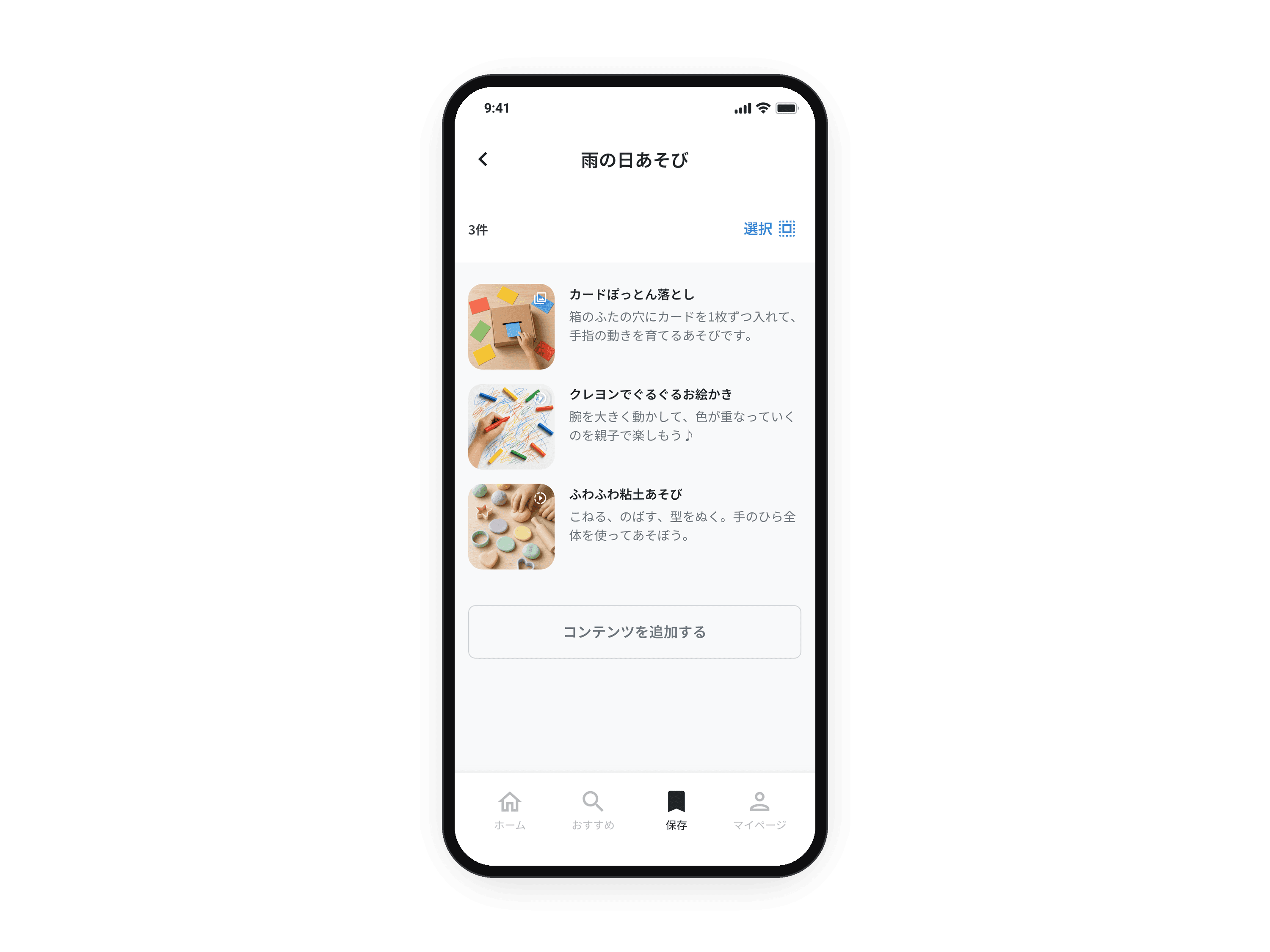 04 / 04 · Mobile app
Sort saved ideas into folders. Parents save ideas by situation, like a rainy day, and come back to them when it happens.
Select mode, the folder picker, the create-folder sheet with its character count, and the folder page.
The content system behind the app.
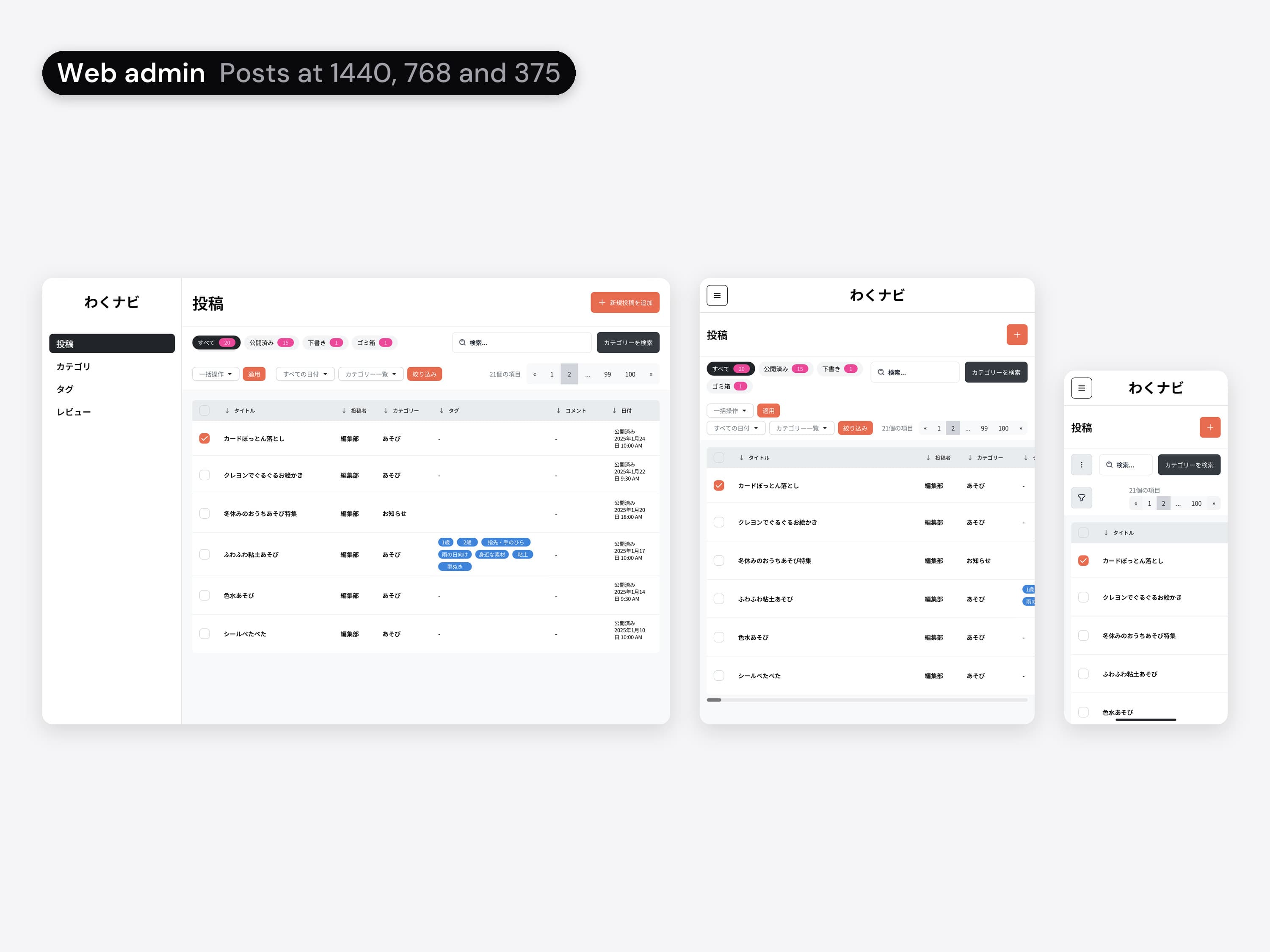
A small admin laid out like a blog editor: posts, categories, age tags and review sets, at desktop, tablet and phone width.
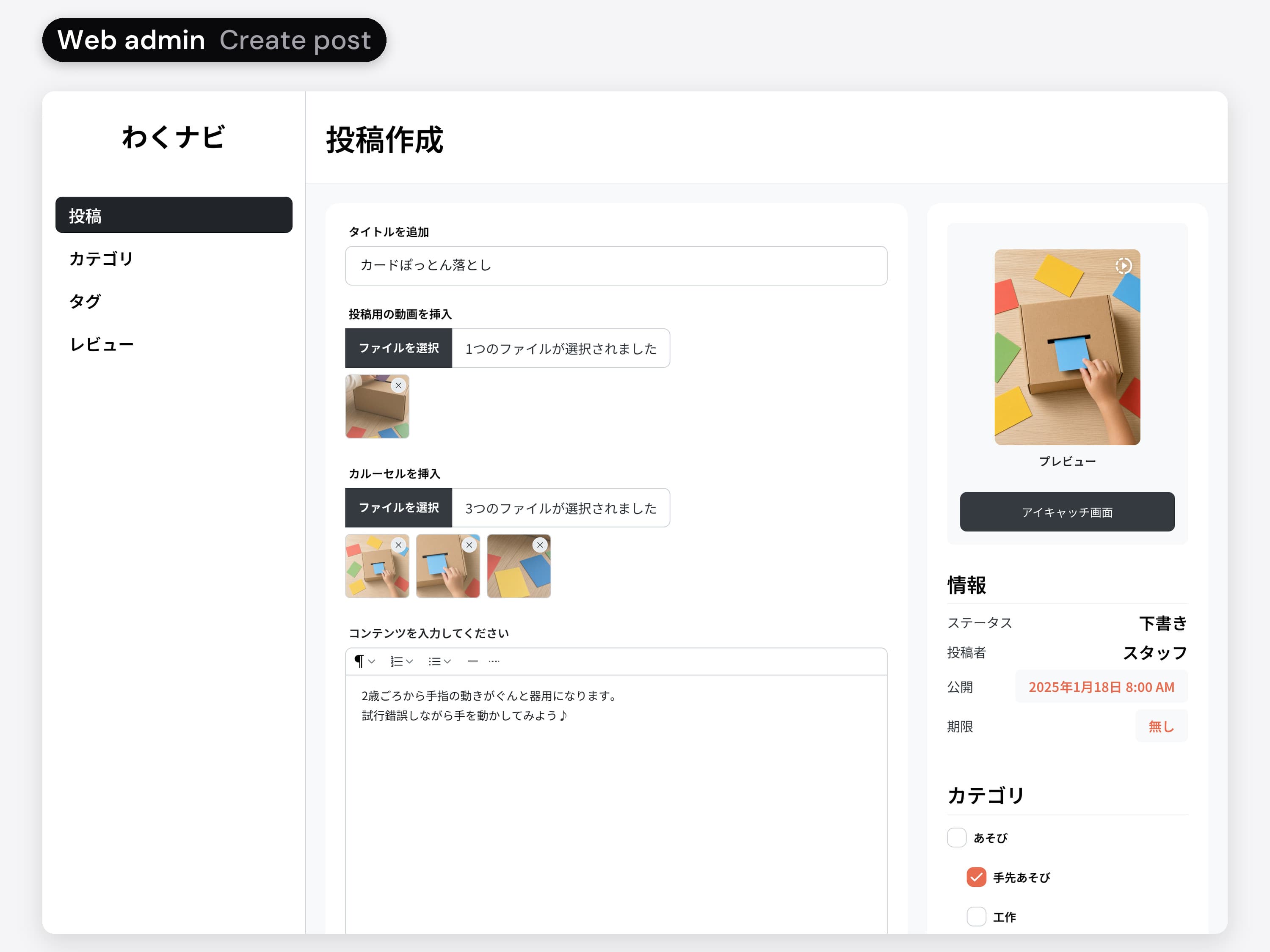
One editor for everything a post needs
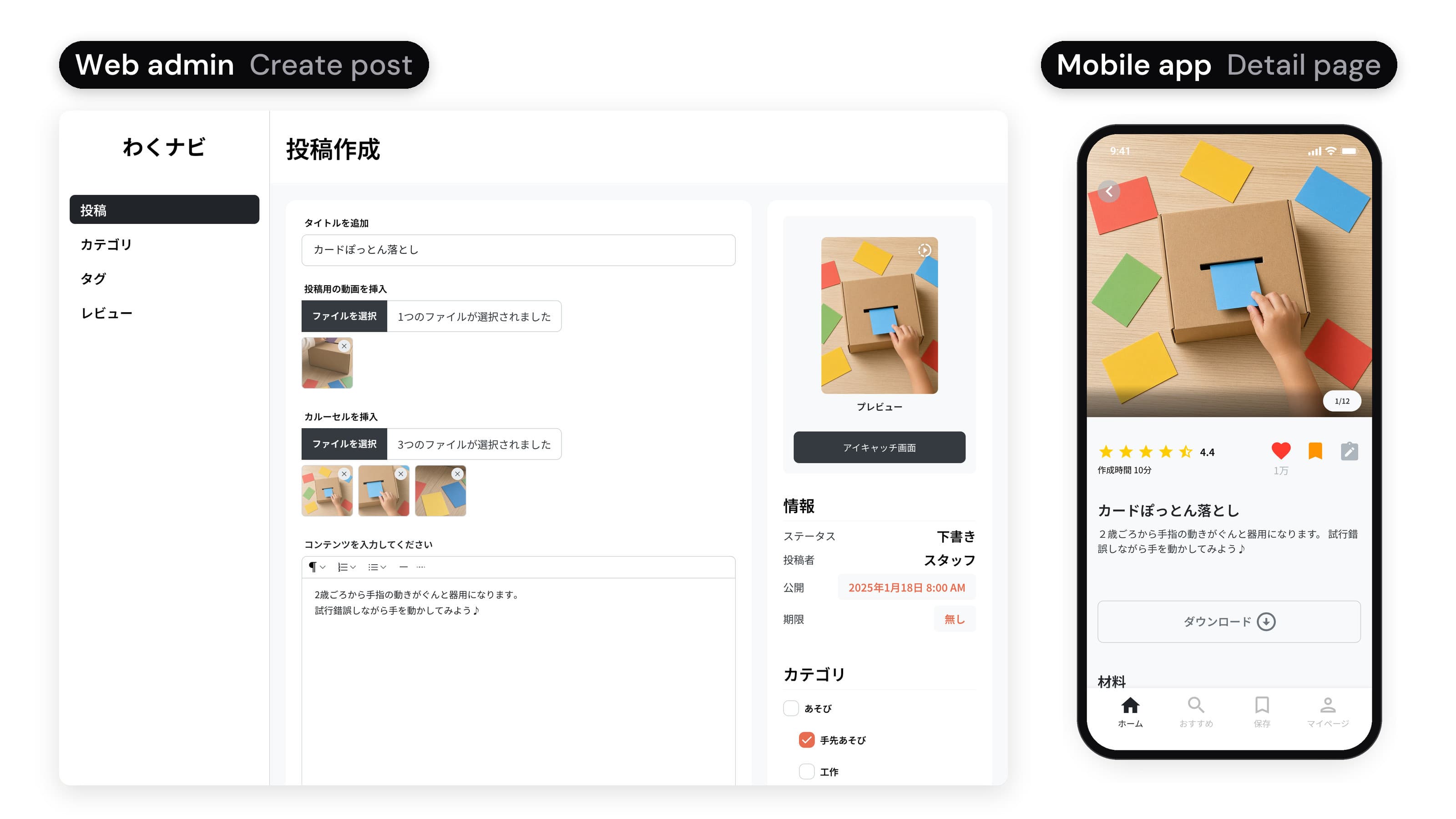
Video, carousel, text, category, age tags, related tags, a review set and a download, with the publish date on the side.
- 01 / 06 · Web admin
One editor for everything a post needs. Video, carousel, text, category, age tags, related tags, a review set and a download, with the publish date on the side.
The two-column editor: content on the left, publishing and sorting on the right.
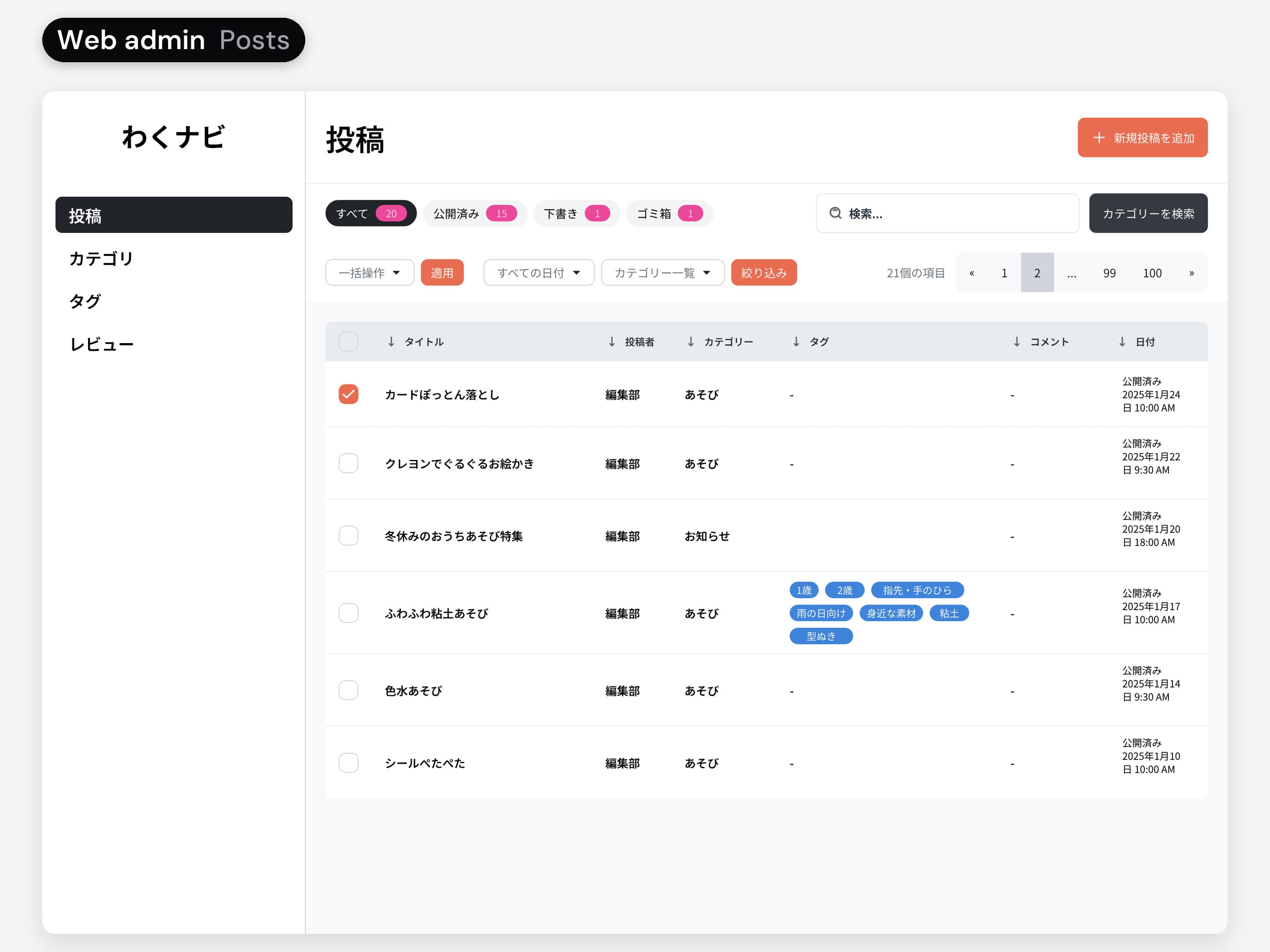 02 / 06 · Web admin
Edit many posts at once. Ticked posts open an edit panel inside the table: category, tags and status for all of them at once.
The posts table and the inline bulk edit panel.
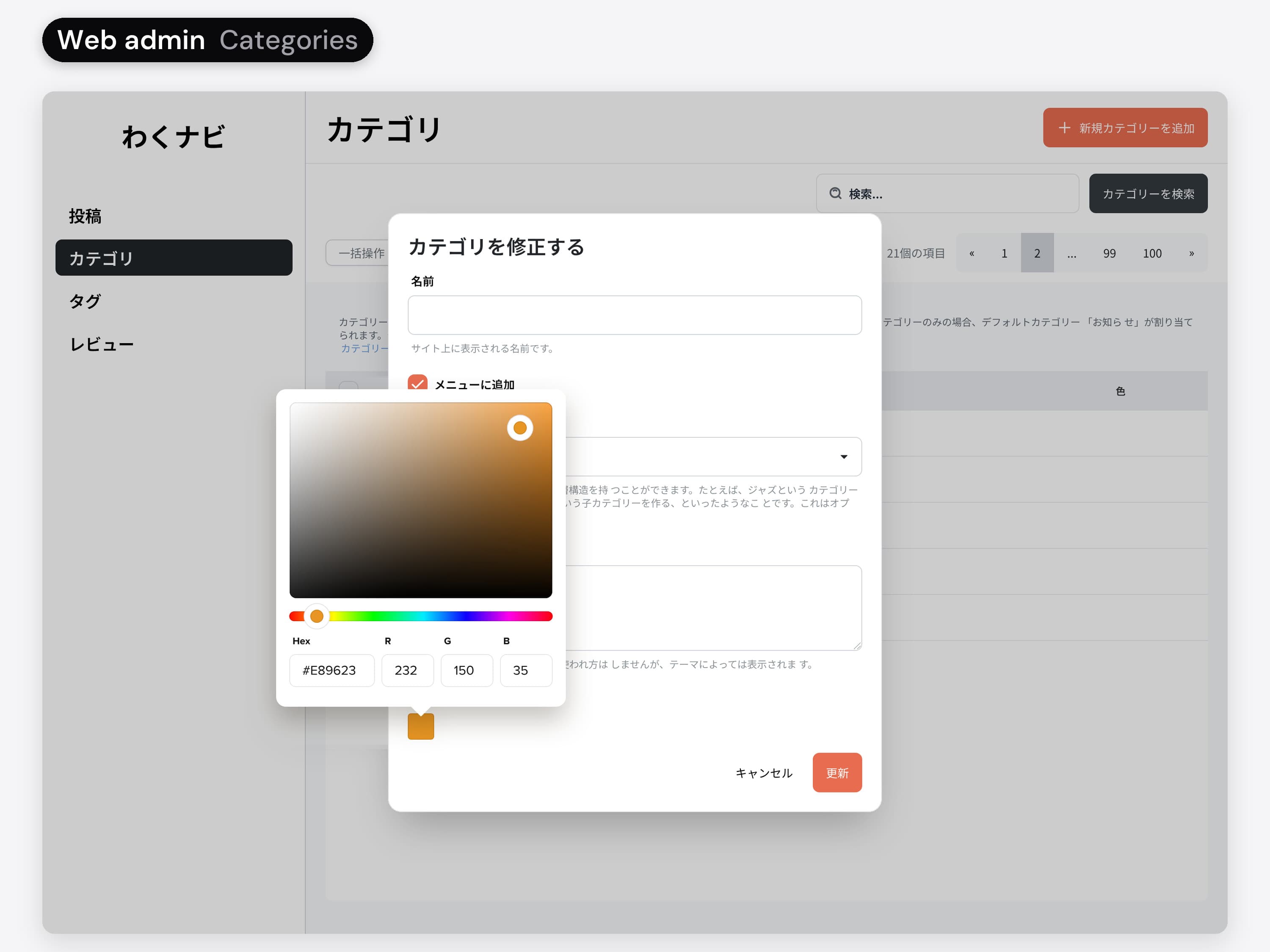 03 / 06 · Web admin
Categories with a colour. Categories nest under a parent and carry a colour, so a group of ideas reads as one.
The category list, the add and edit dialog, and the colour picker.
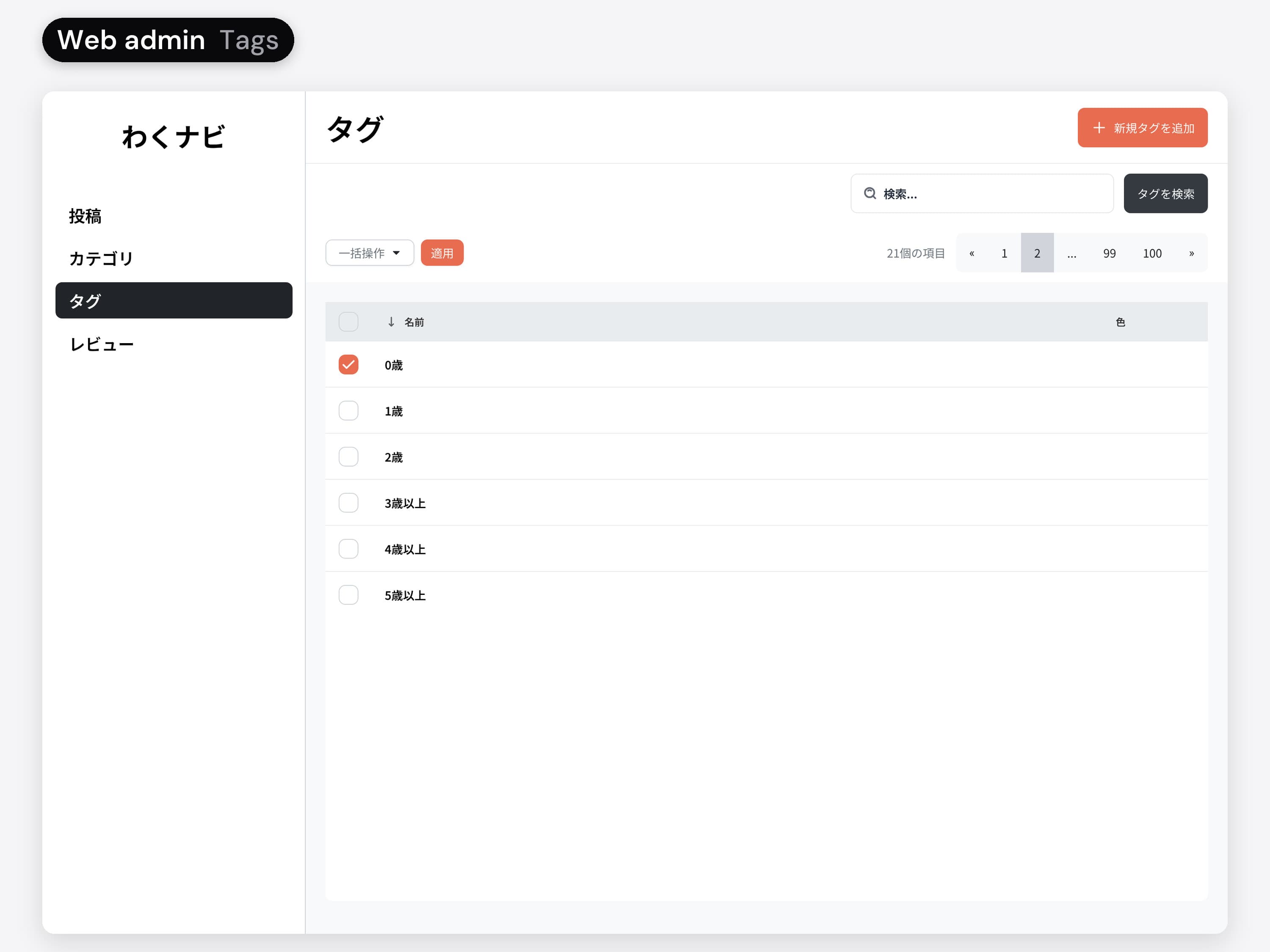 04 / 06 · Web admin
Ages as tags. The ages in the app's chips are tags here, so the team manages the age bands in one place.
The tag list and its add dialog.
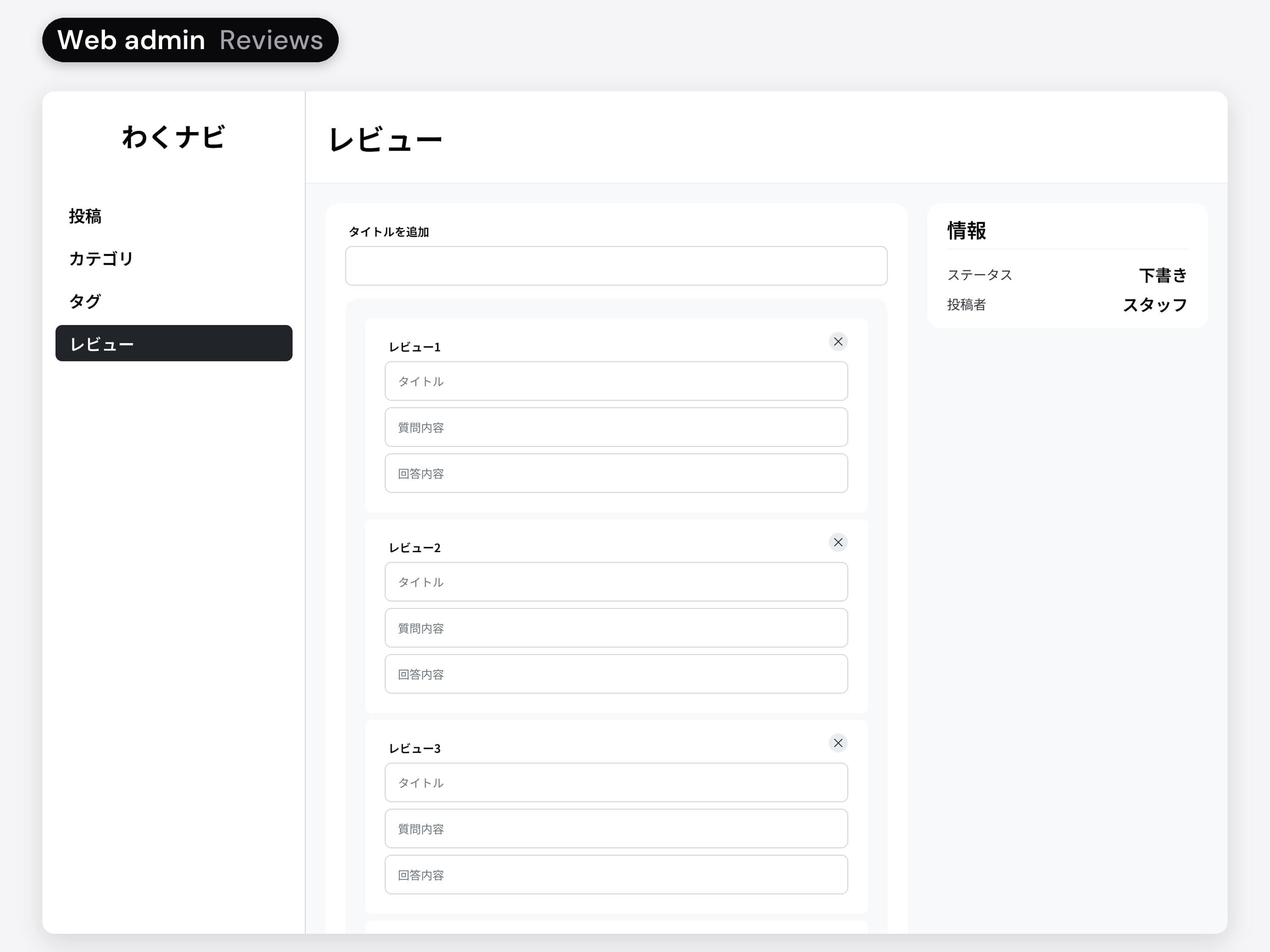 05 / 06 · Web admin
The questions parents answer. A post picks a review set in the editor; the sets and their questions are written here.
The review set list and the question builder.
 06 / 06 · Web admin
The admin at three widths. Every admin screen was designed at 1440, 768 and 375 wide.
The three layouts of every admin screen.
Variables,
so three devs ask fewer questions.
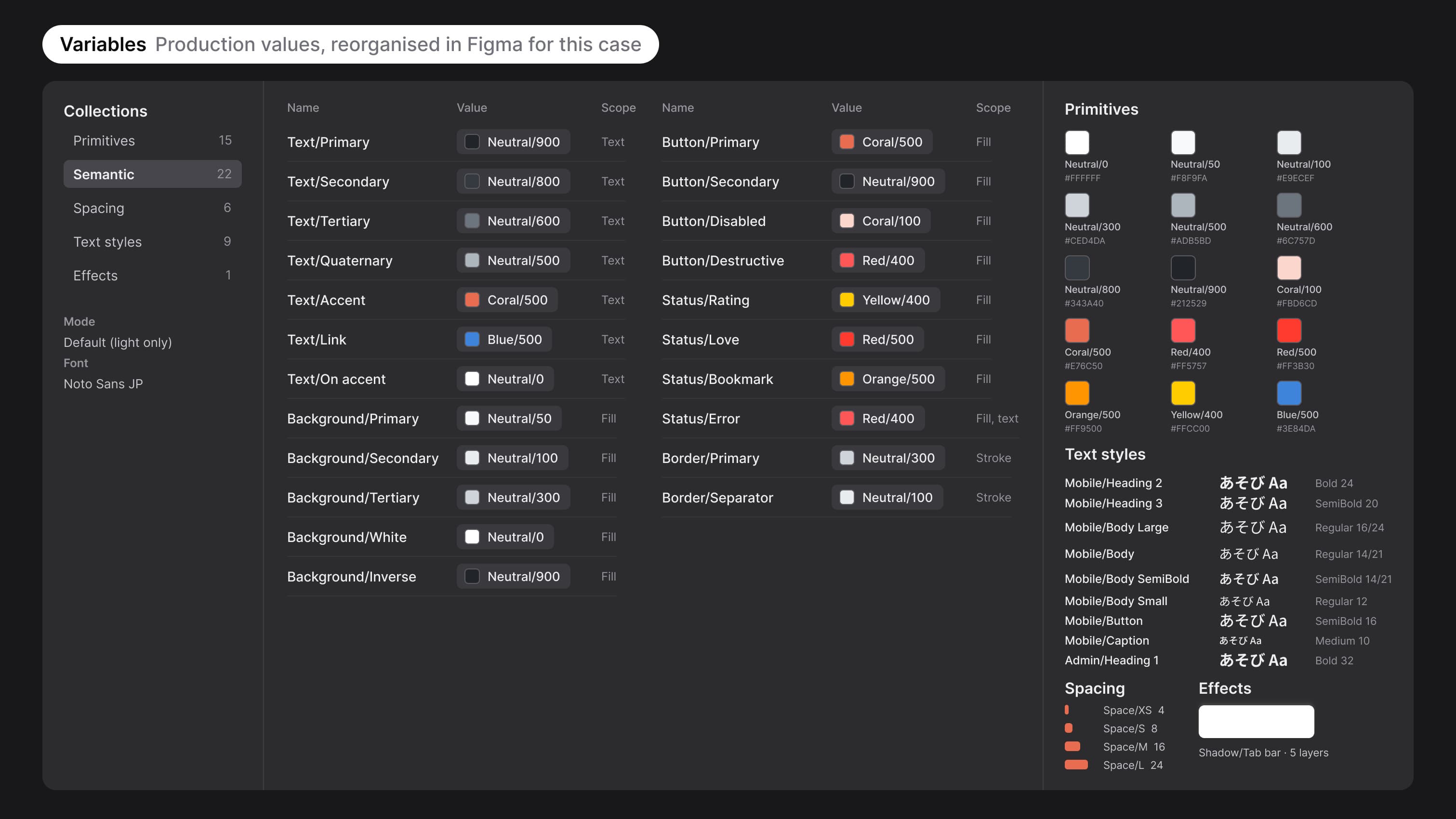
One designer supporting three devs: every inconsistency becomes a question in someone's inbox. Colours, type, spacing and the tab bar shadow were variables in the file; for this case I rebuilt them in Figma as primitives and semantic tokens.
When there's nothing,
or too much.
Say which field is wrong
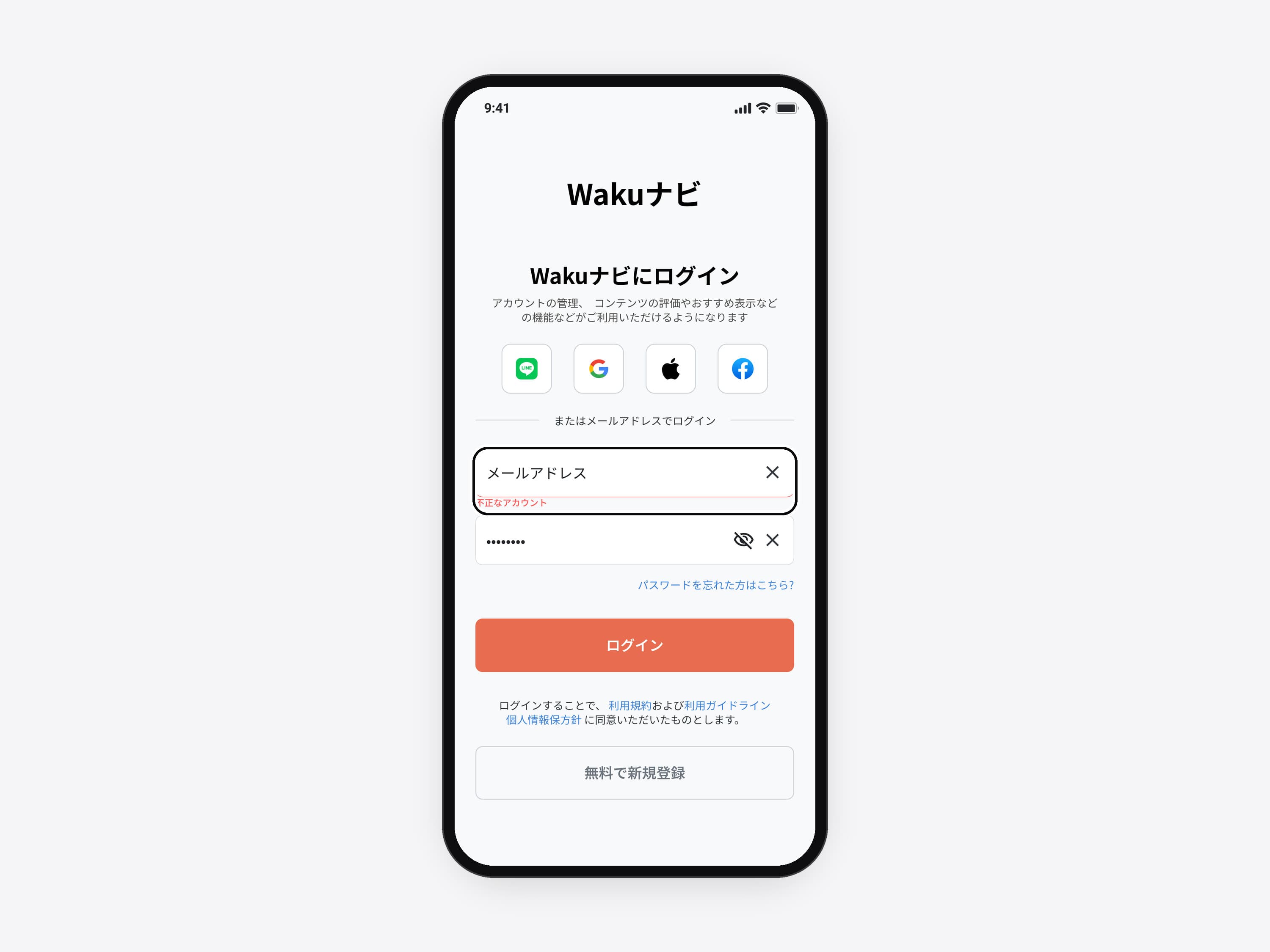
A failed login outlines the email field in red and says 不正なアカウント (invalid account) right under it.
- 01 / 05 · Mobile app
Say which field is wrong. A failed login outlines the email field in red and says 不正なアカウント (invalid account) right under it.
The error state of the login form.
 02 / 05 · Mobile app
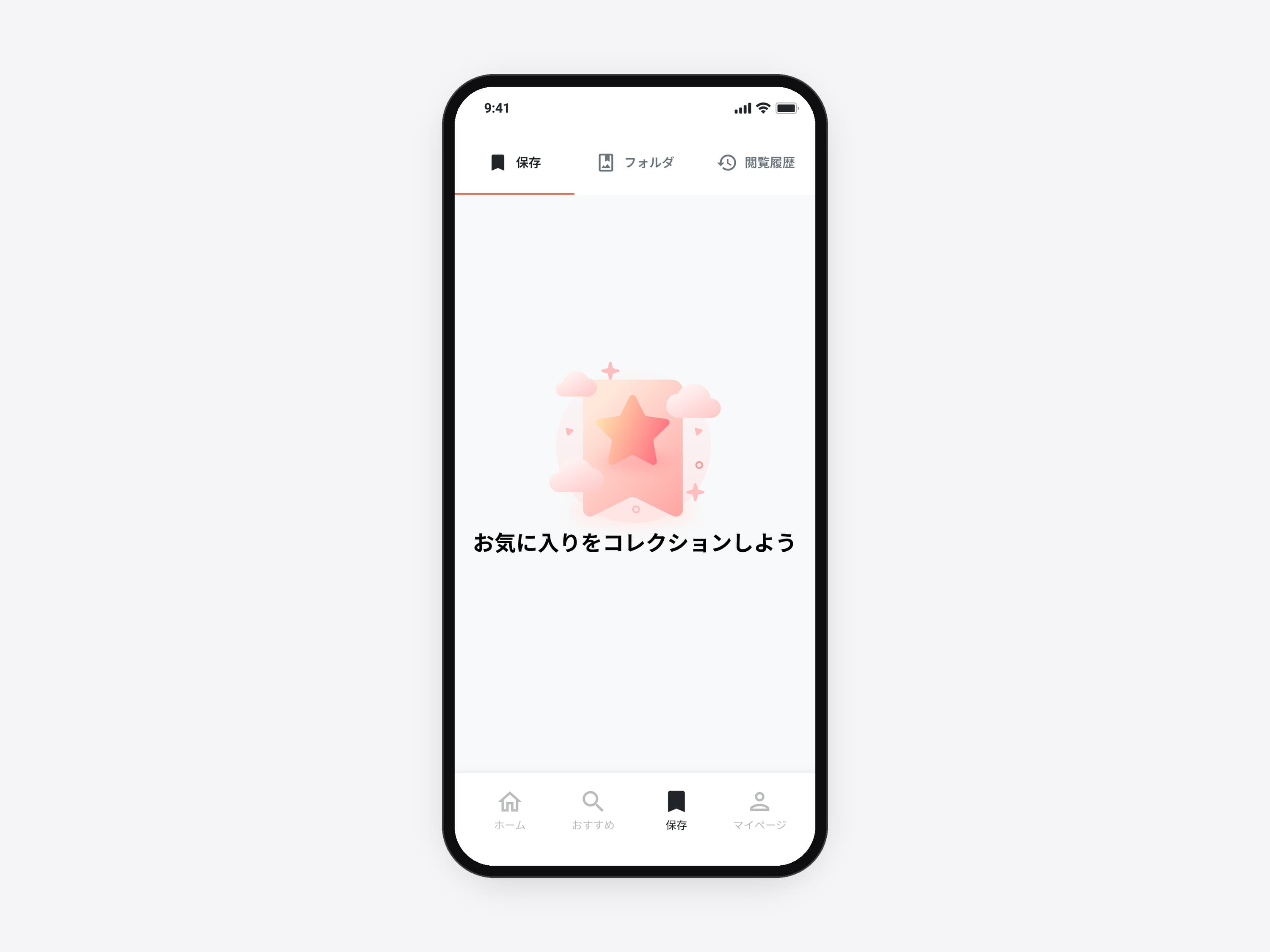
An empty Saved tab. Before anything is saved, the tab says what it is for instead of showing a blank list.
The empty state.
 03 / 05 · Mobile app
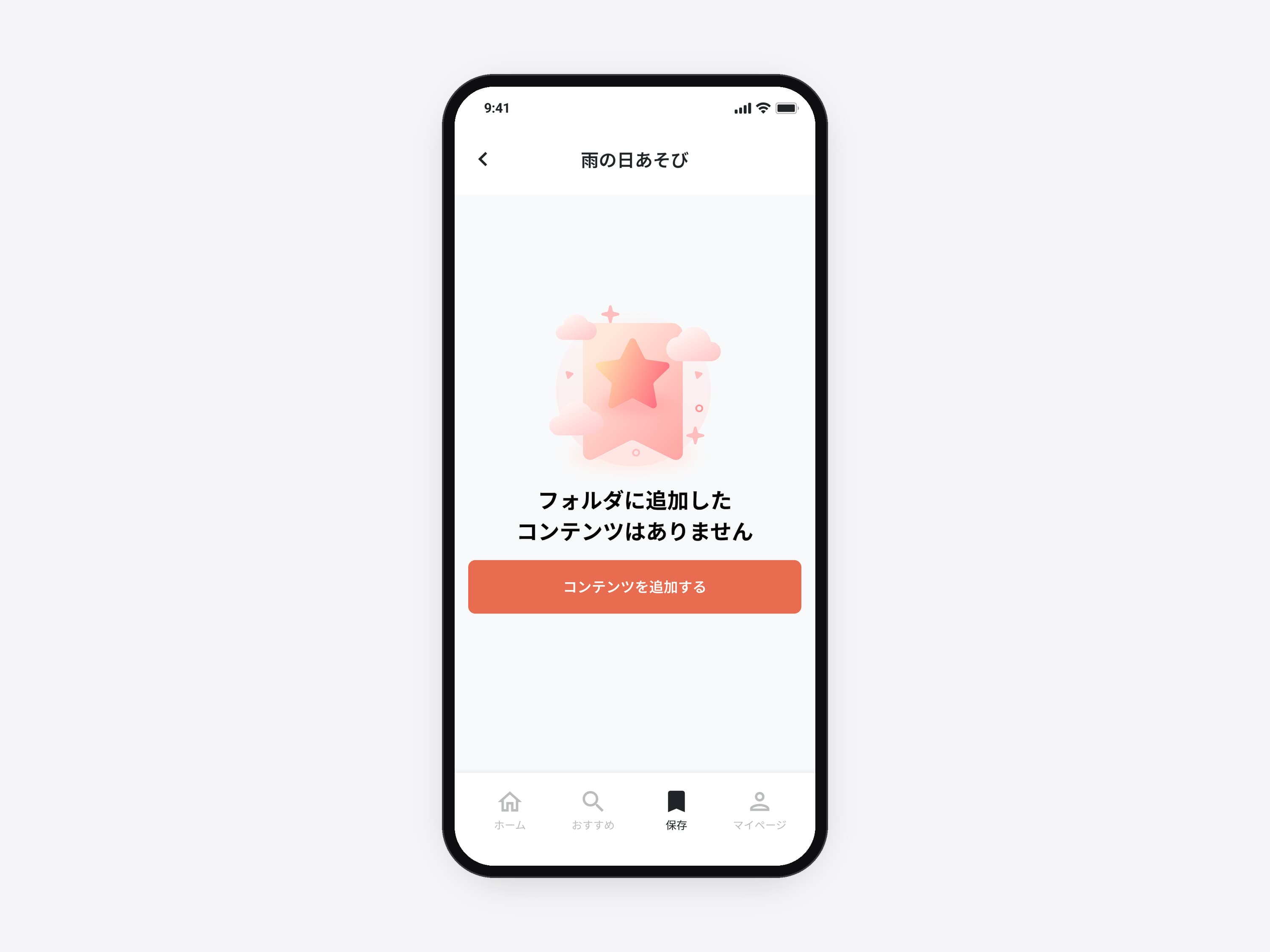
A folder with nothing in it. An empty folder offers the next step, コンテンツを追加する (add ideas), where the list would be.
The empty folder state and its button.
 04 / 05 · Mobile app
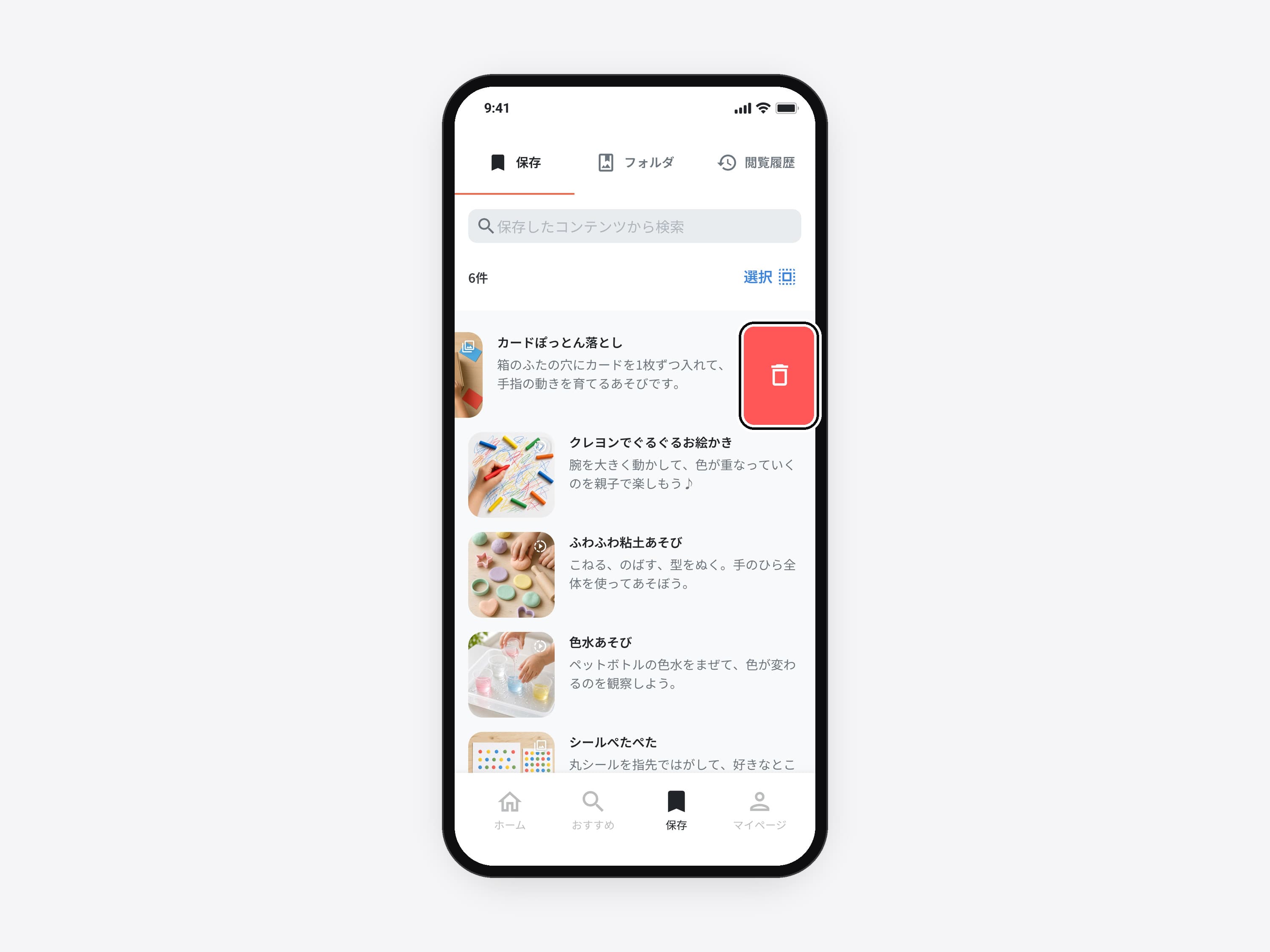
Delete one with a swipe. One idea goes with a swipe, the way lists work elsewhere on the phone.
The swipe action on saved ideas.
 05 / 05 · Mobile app
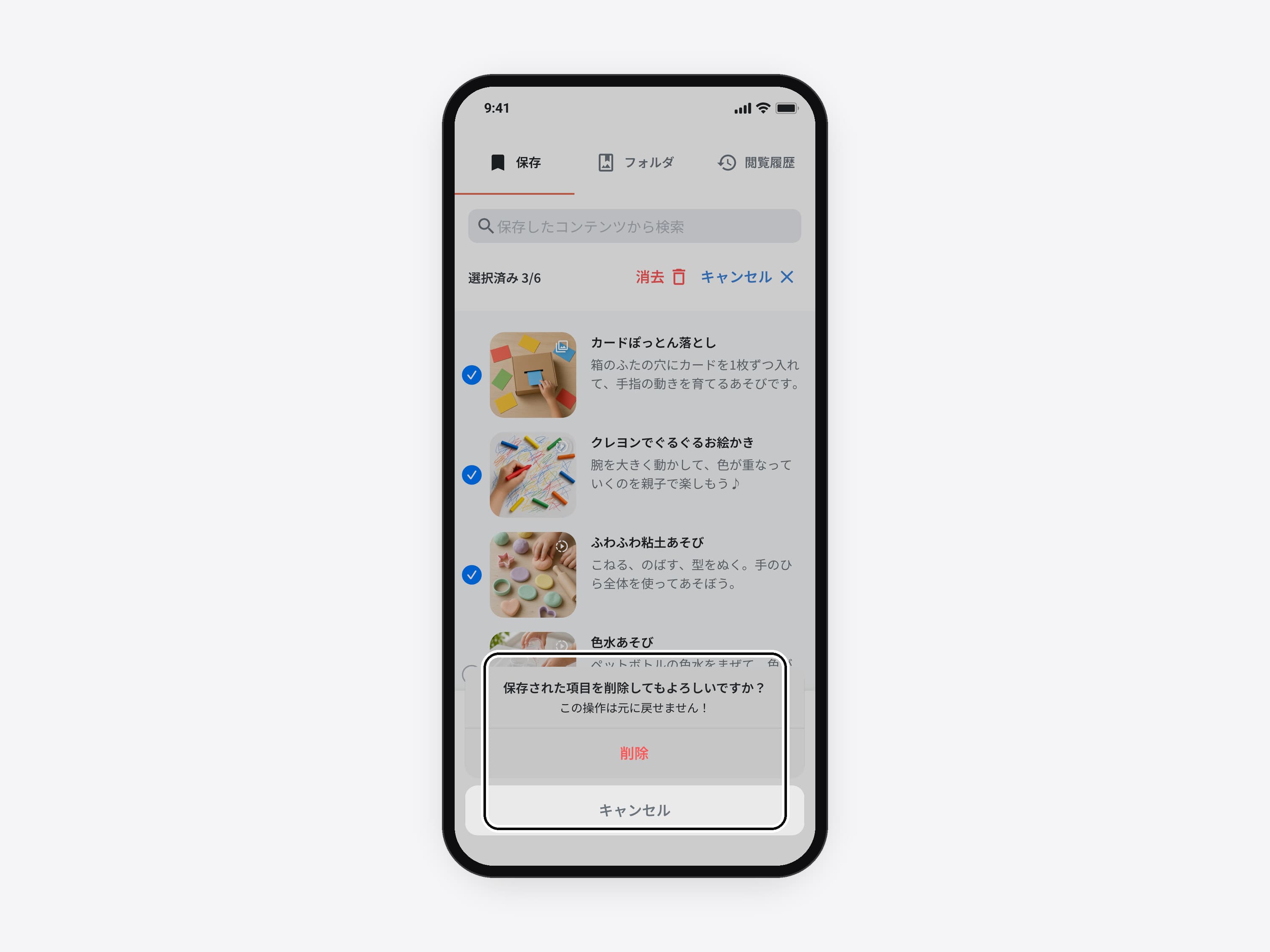
Confirm before deleting many. Deleting several at once asks first and says it can't be undone.
The confirmation sheet.
Plausible is not verified.
AI research got me to a plausible read of Japanese parenting UX. Whether those patterns fit how Japanese parents actually behave is something I still can't answer. On a foreign market next time, I'd budget for a handful of remote sessions with real parents before launch.
- AI as a research partnerUseful for closing cultural gaps quickly.
- Design is negotiationHalf the job was saying no to protect the timeline.
- The admin is product tooA content app is only as good as the screens the team writes it in.
Find the first release inside them.
For founders with a clear goal and a growing list of requests. I shape the first release, design the app and the admin behind it, and hand off a system devs can build from.
Similar work: UX audit, quoted after a short call