FeedbackMe
An internal tool, redesigned into a SaaS clients can set up themselves.
Every new client used to need a developer editing the database by hand. As the sole designer, I redesigned the configuration system, the admin, the onboarding and the landing page, so basic setup now starts from one spreadsheet upload.
V1.0 launched- How did I help
- Design & system work
- B2B SaaS
- Role
- Sole designer
- Team
- 2 mobile, 1 backend, 2 QC
- Timeline
- 12 months
- Phase
- 0 → 1, first release
- An internal feedback tool turned into a SaaS that clients set up themselves.
- As the sole designer, I redesigned the configuration system, the admin, the onboarding and the landing page.
- Basic setup now starts from one spreadsheet upload instead of a developer editing the database. V1.0 launched.
The tour: Logic before screens → What made it self-serve → Next time
Built for one team.
Sold to many.
FeedbackMe started as a tool for one internal environment. When it became a commercial SaaS, every new client's setup landed on the developers. If your product grew the same way, this may sound familiar.
- 01Onboarding eats developer timeEach new client meant a developer changing data structures by hand, instead of building the product.
- 02Clients can't shape it to their workflowThere was no configuration UI. Every client-specific need became a support ticket.
- 03Flexible, but not breakableThe config had to fit very different client structures without breaking the shared infrastructure underneath.
Logic before screens.
A polished onboarding flow is useless if the configuration underneath is broken. So discovery mapped the data first. The PO and CEO owned the what and why; the team and I owned the how.
- 01Logic mappingWent through the legacy tool with the backend dev to decide which fields had to become dynamic, such as regions and locations.
- 02Depth calibrationAgreed with the team how far clients can customise: their regions and locations, plus theme, logo and display labels, without breaking the shared system.
- 03Feasibility syncReviewed the designs with engineering every Thursday, so every layout matched what the backend could actually do.
What made it self-serve.
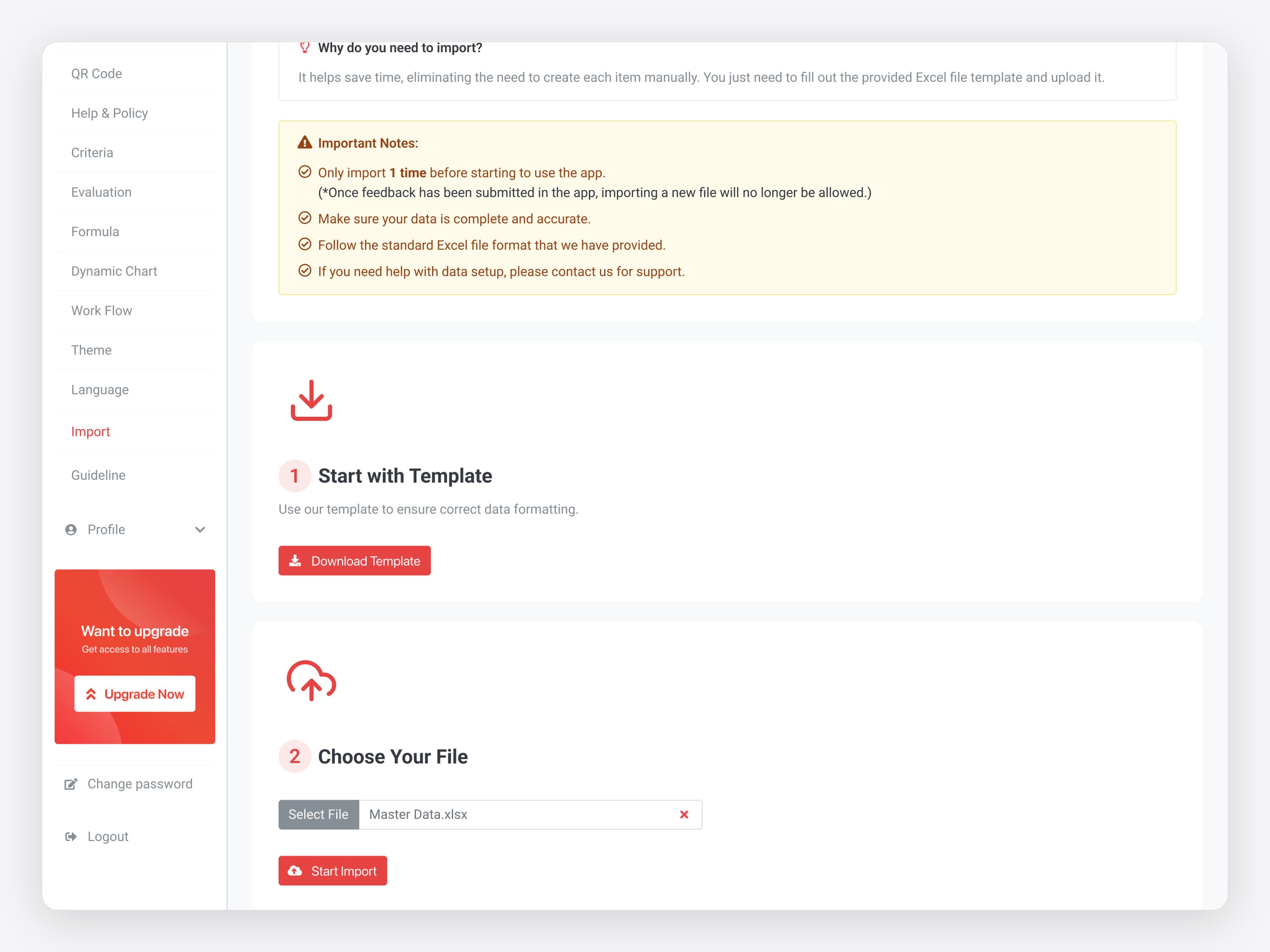
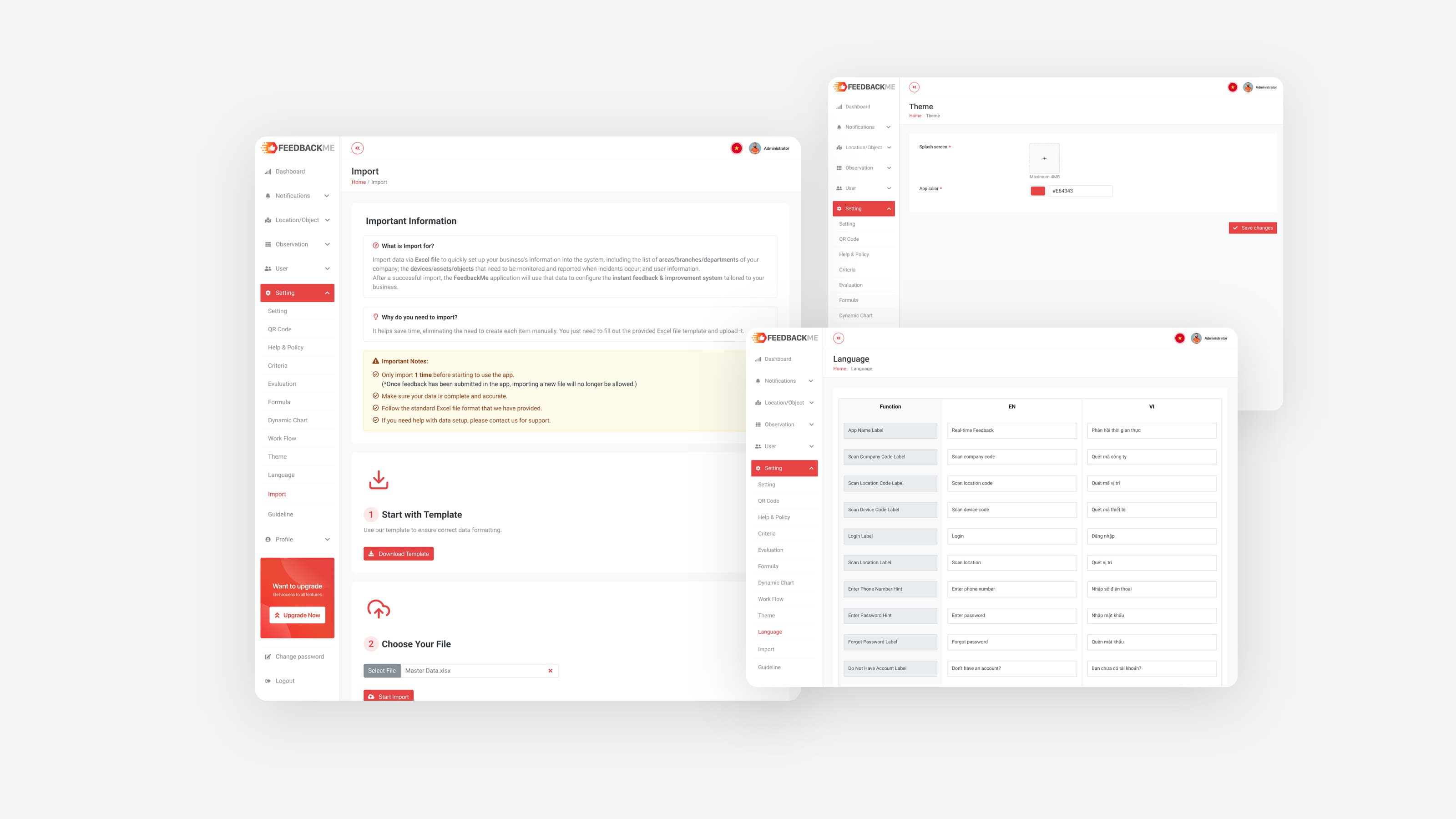
Excel-driven onboarding
Multi-day manual setup blocked new clients from getting started.
- 01 / 04 · FeedbackMe admin
Excel-driven onboarding.
Multi-day manual setup blocked new clients from getting started.
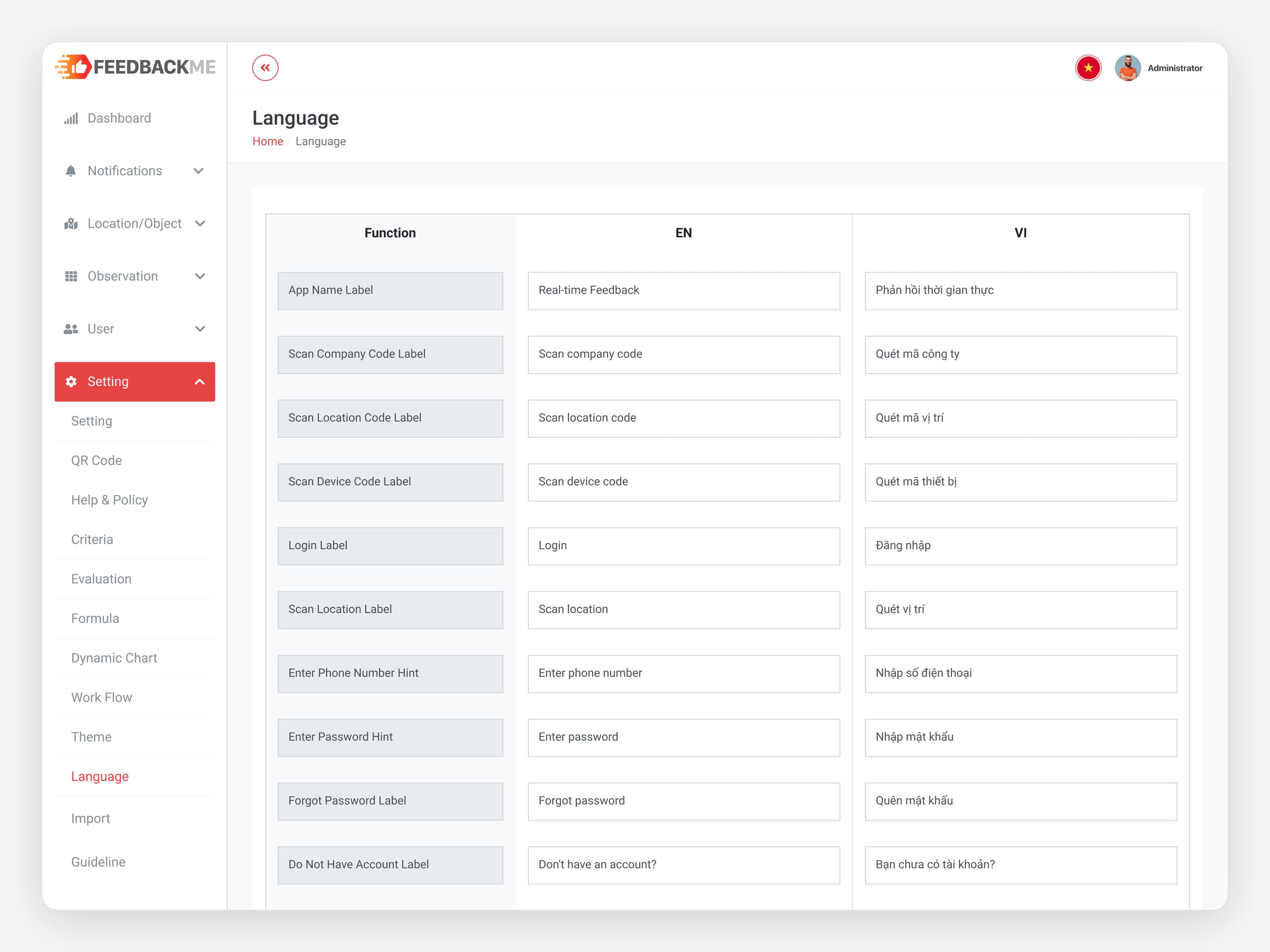 02 / 04 · FeedbackMe admin
A flexible config layer.
Hardcoded fields couldn’t adapt to different client data models.
 03 / 04 · feedbackme.com.vn
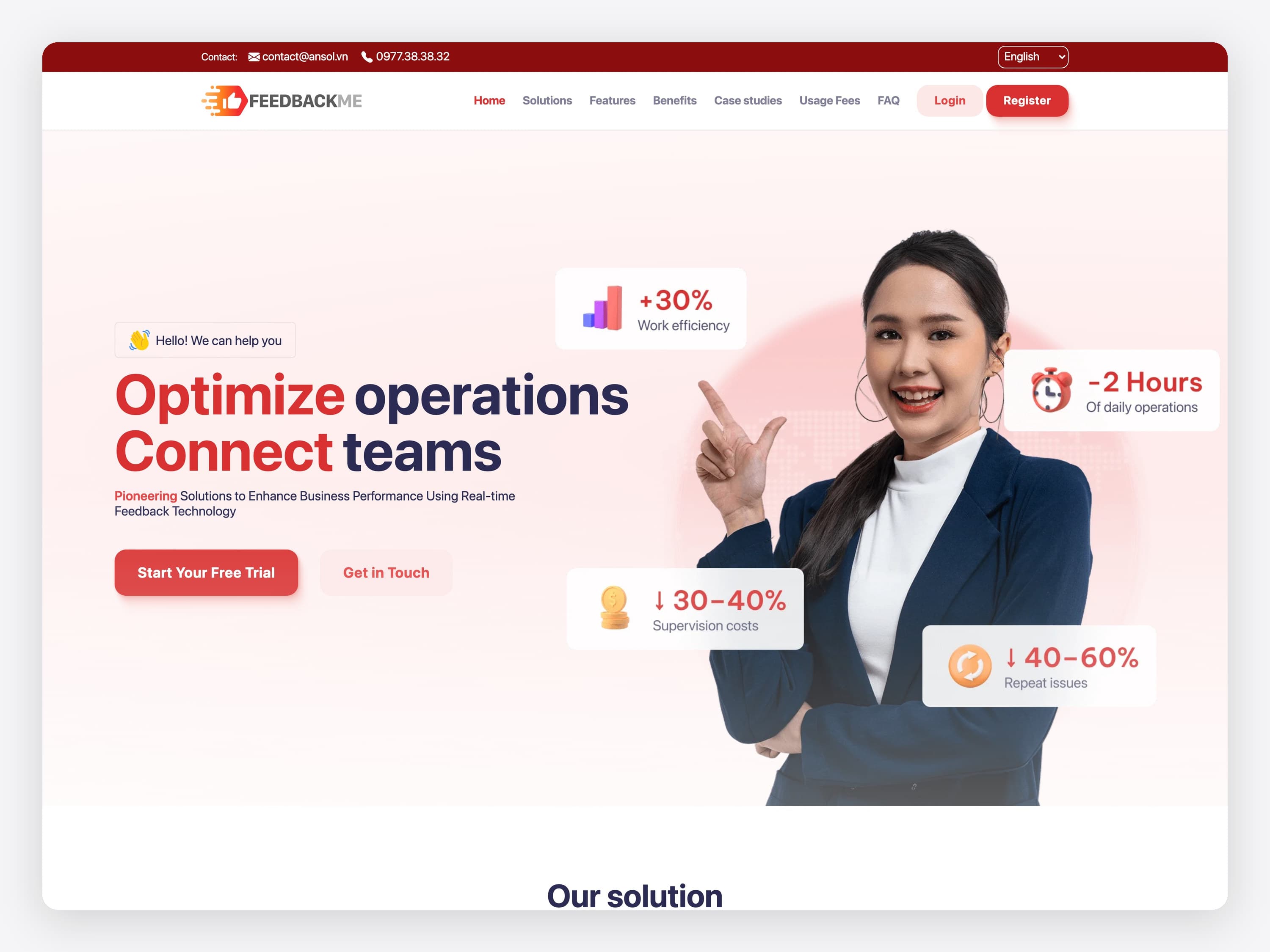
The public face of the SaaS. The marketing site for FeedbackMe as a commercial product: features, industry use cases, pricing tiers and a contact form, in Vietnamese, English and Japanese.
 04 / 04 · FeedbackMe admin
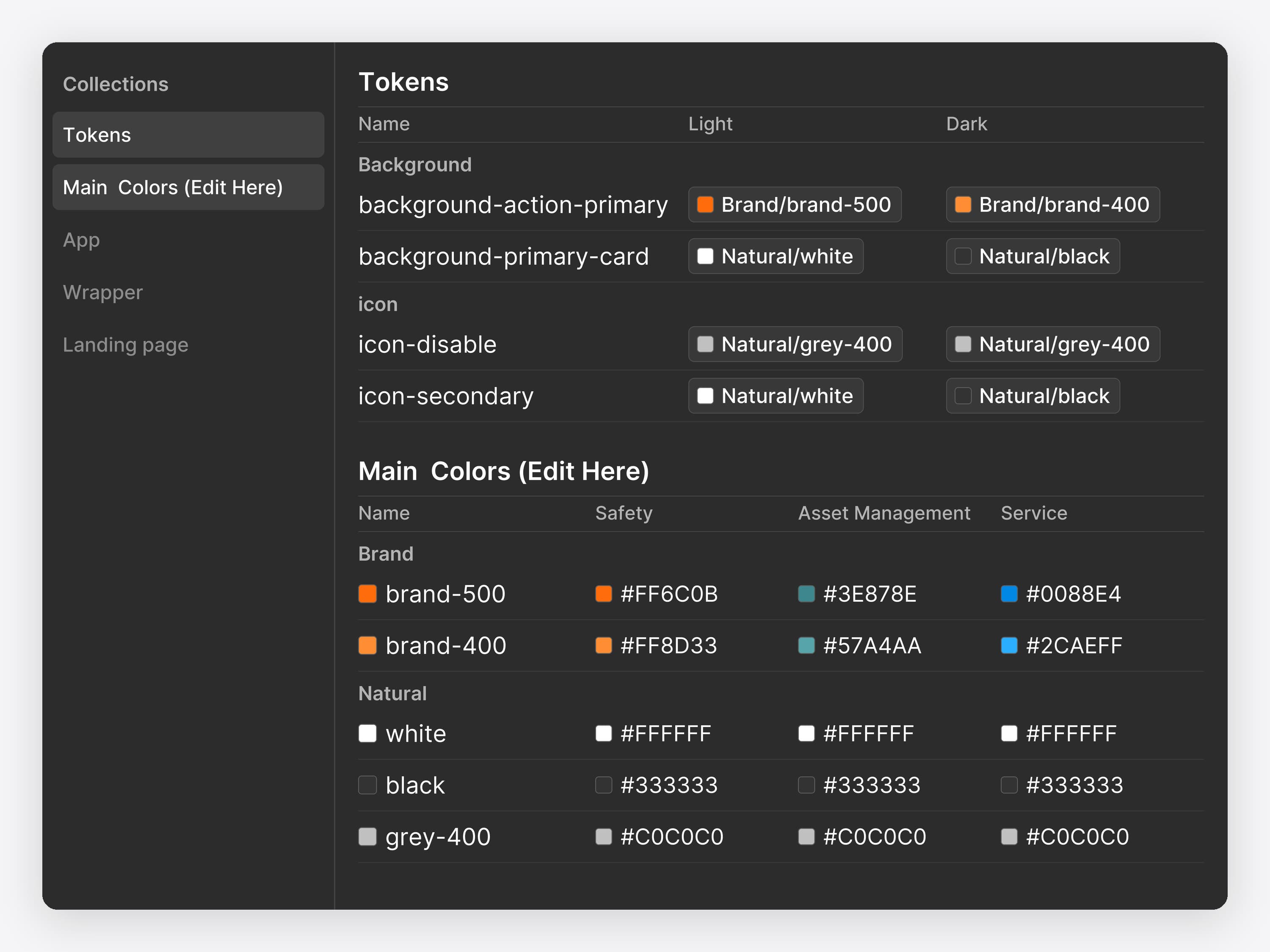
A design system for what comes next.
Future modules needed a clean foundation to build on.
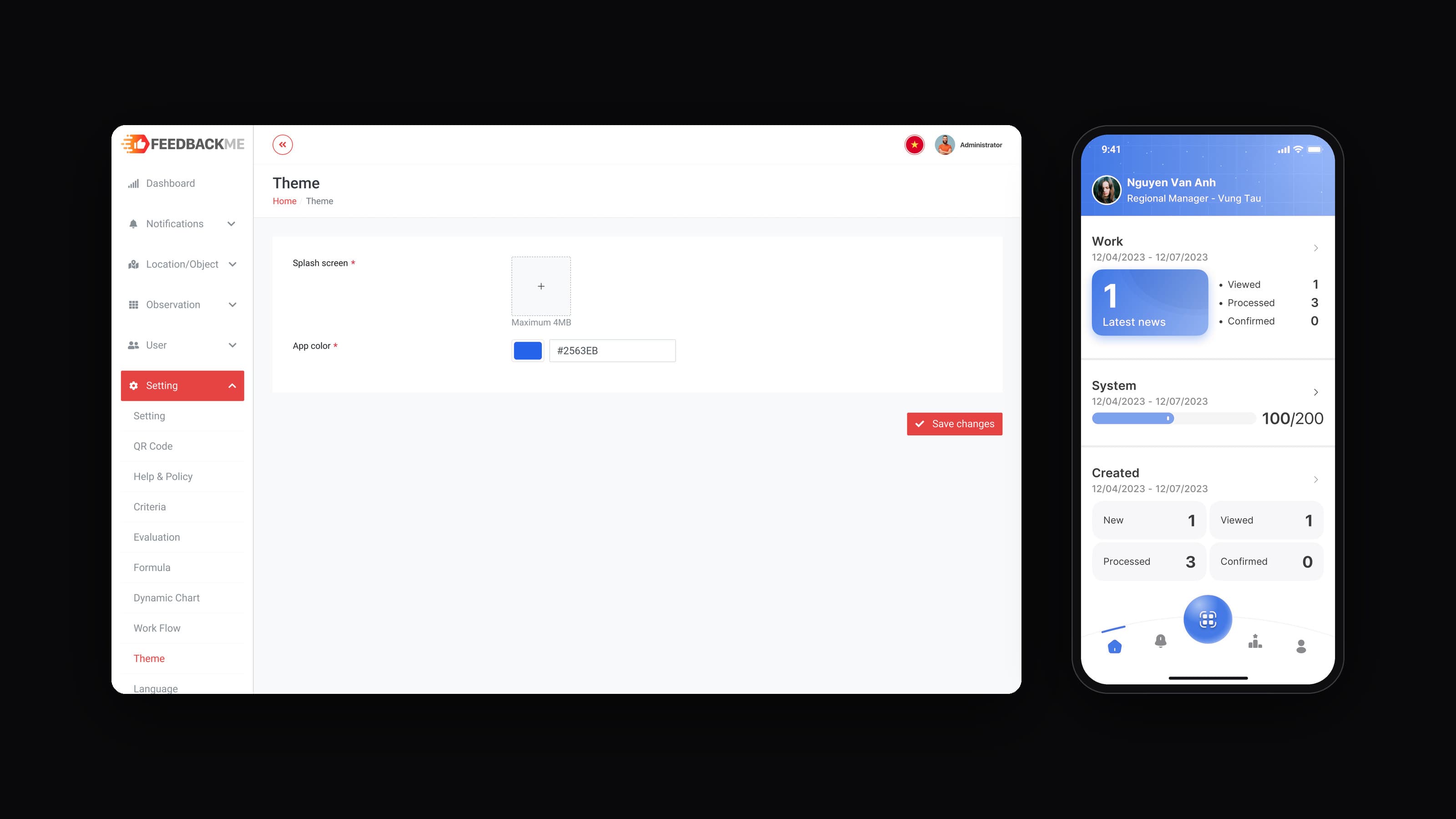
Set it in the admin.
The app follows.
Beyond setup: the product flows.
![The FeedbackMe app in English, on Create feedback for the projector: the status set to Normal and the Excellent face picked, with a Send feedback button. The animation runs through the whole report in one phone: scan the device code, search and pick the projector, pick the Excellent face, send, confirm in the dialog “Excellent! Confirm sending excellent feedback for [PE1242244] Projector SONY AP903-657”, then the thank-you screen.](/_next/image?url=%2Fwork%2Ffeedbackme%2Fflow-report-v5.png&w=3840&q=75)
Report an issue
Scan or search for the device, rate it with a face, then confirm before the feedback is sent.
- 01 / 04 · FeedbackMe app
Report an issue. Scan or search for the device, rate it with a face, then confirm before the feedback is sent.
 02 / 04 · FeedbackMe app
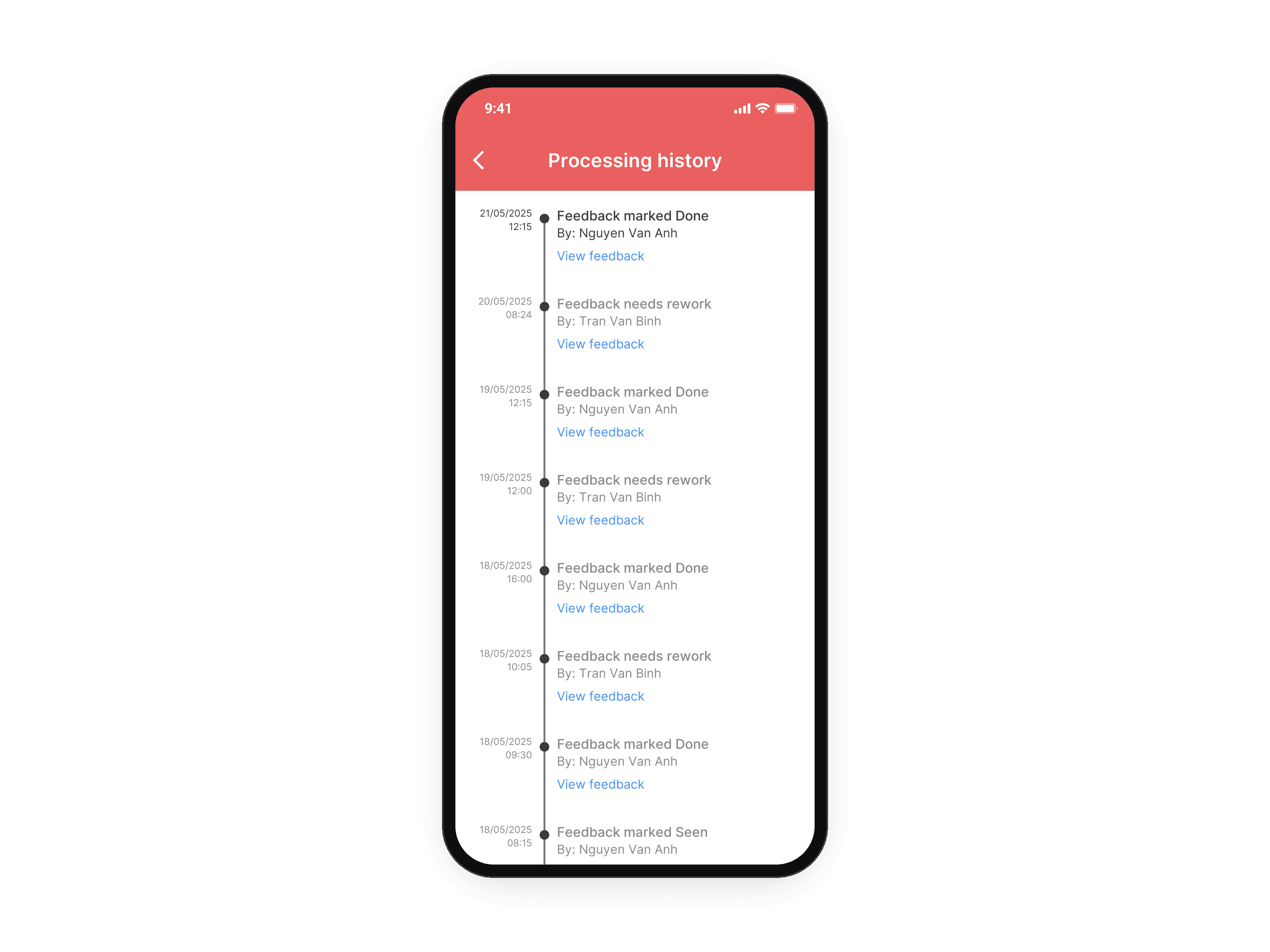
Follow it to the end. The status from New to Confirmed, a history of who did what and when, and the details of each update, with a note and a photo.
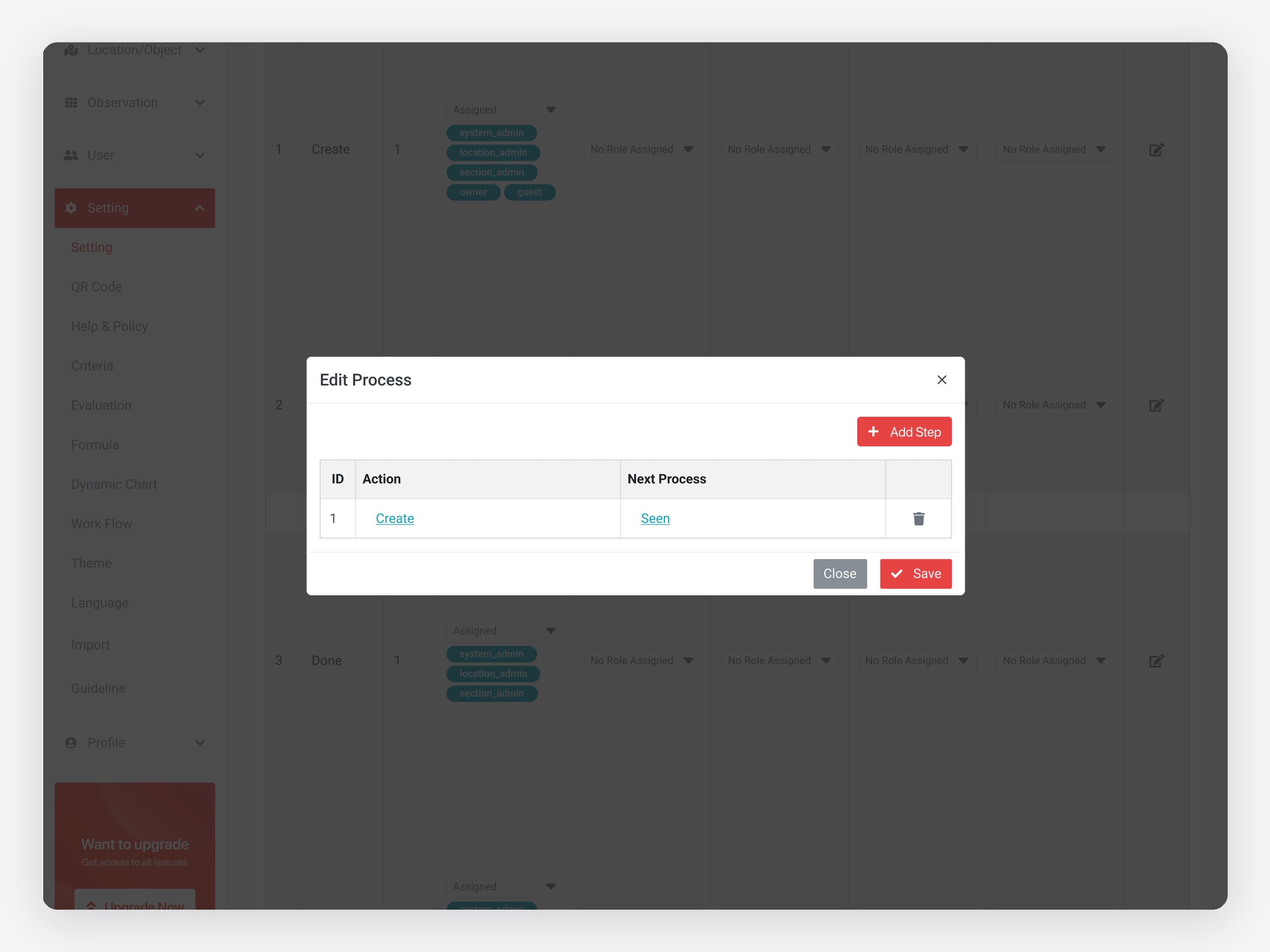 03 / 04 · FeedbackMe admin
Who does what. Each step lists the roles allowed to act on it; a process chains an action to the next one.
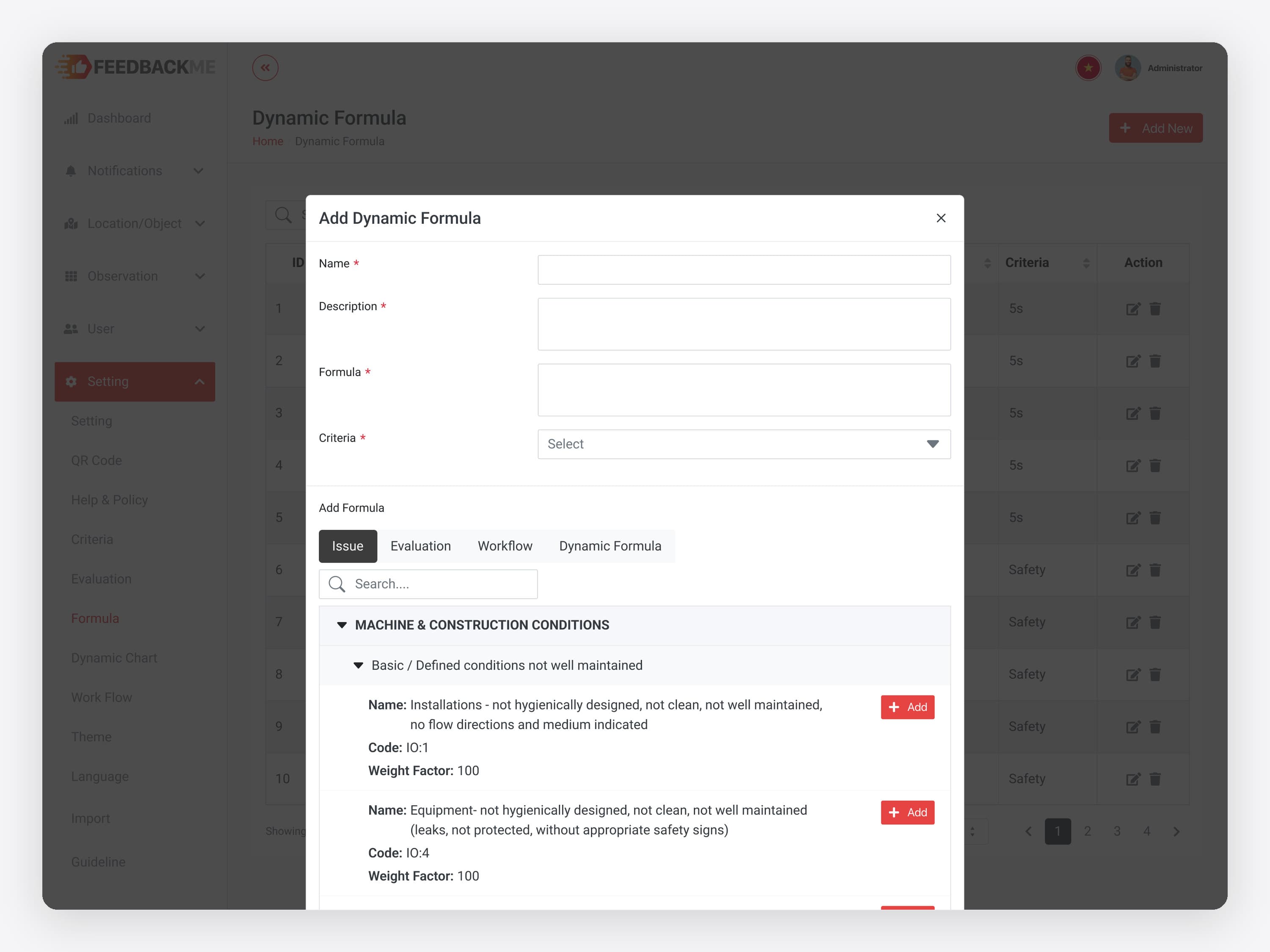 04 / 04 · FeedbackMe admin
Scoring formulas. A formula is built from the criteria tree: each issue has a code and a weight factor.
Next time, I'd watch a client's first upload before calling it done.
The config logic held up in review with engineering and the PO. On the next 0 → 1, I would add one more check: sit with a client through their first upload, so self-serve is something we have seen, not only reasoned.
- Logic dictates UXThe biggest decisions here were structural, not visual.
- Autonomy is scalabilityEvery routine setup a client does alone frees dev time for the product.
- Guardrails make it usableTotal freedom breaks the experience. Limits are what let it scale.
Start with an audit, not a rebuild.
For live products that are losing users or eating dev time. I audit the full experience, restructure the UI system and fix the gaps without rebuilding everything from scratch.
Similar work: UX audit, quoted after a short call